
Everything you need to make a site easier for everyone
A visitor menu with 8 profiles and 25 tools, site-wide fixes, a WCAG scanner, white label and AI abilities. All in one plugin, all on your own server.
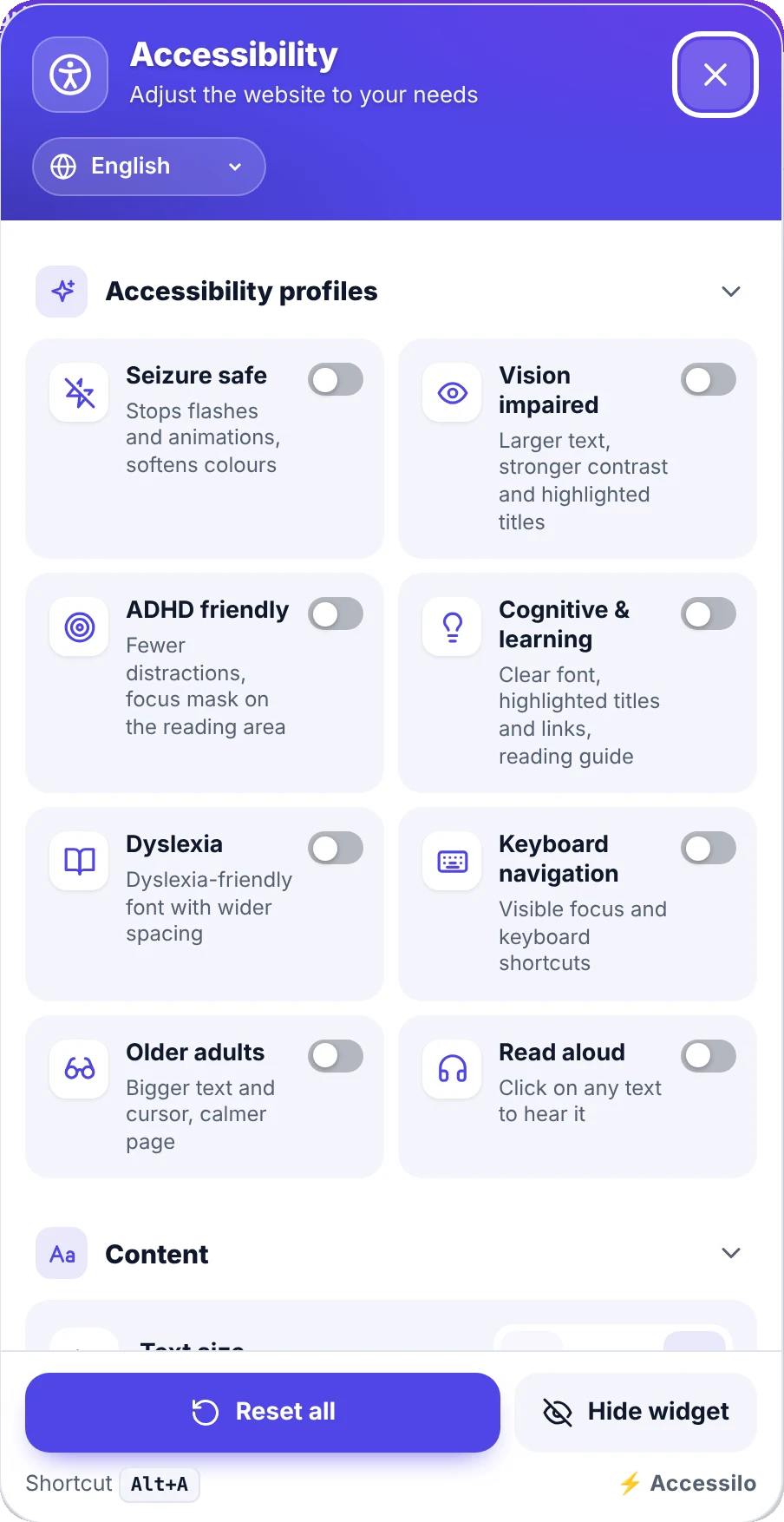
8 one-click profiles
Each profile combines several adjustments for a specific need. Visitors switch one on and the whole page adapts.
Seizure safe
Stops flashes and animations, softens colours.
Vision impaired
Larger text, stronger contrast and highlighted titles.
ADHD friendly
Fewer distractions and a focus mask on the reading area.
Cognitive & learning
Clear font, highlighted titles and links, reading guide.
Dyslexia
Dyslexia-friendly font with wider spacing.
Keyboard navigation
Visible focus and keyboard shortcuts.
Older adults
Bigger text and cursor, a calmer page.
Read aloud
Click on any text to hear it.
25 tools, grouped the way people think
Visitors can combine any of them, and you decide which ones appear in the menu.
Content
10 tools
- Text size
- Line height
- Letter spacing
- Word spacing
- Readable font
- Dyslexia font
- Text alignment
- Highlight links
- Highlight titles
- Text magnifier
Colour
4 tools
- Contrast modes
- Saturation
- Invert colours
- Custom text, title and background colours
Orientation
11 tools
- Big cursor
- Reading guide
- Reading mask
- Hide images
- Show alt text on hover
- Stop animations
- Mute sounds
- Read aloud
- Page structure
- Reading mode
- Keyboard navigation
Accessible, fast and out of your theme's way
The menu is fully usable by keyboard and screen reader, opens with a shortcut, remembers each visitor's choices and never collides with your theme thanks to an isolated shadow DOM.
- Keyboard shortcut (Alt+A by default) and full focus management
- Preferences remembered in the visitor’s browser, no cookies
- Visitors can hide the button if they don’t need it
- Link to your own accessibility statement at the bottom of the menu
Quick wins for keyboard and screen-reader users
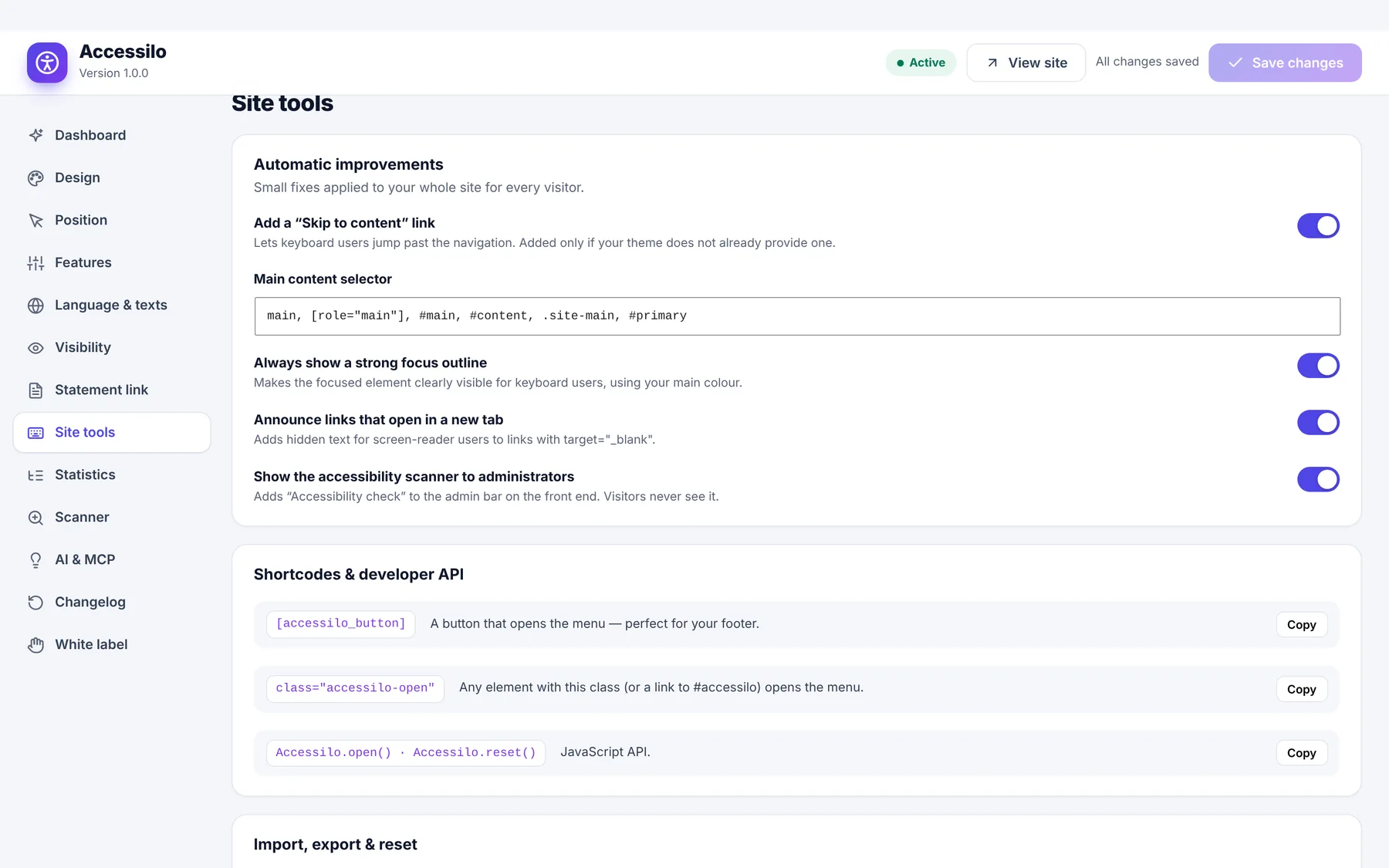
Some barriers are the same on every site. Accessilo fixes them for you, with a switch each.
- “Skip to content” link, added only if your theme doesn’t have one
- Always-visible focus outline in your brand colour
- Hidden “opens in a new tab” warning for screen readers
- Shortcodes, a CSS class and a small JavaScript API to open the menu from anywhere
See what to fix, page by page
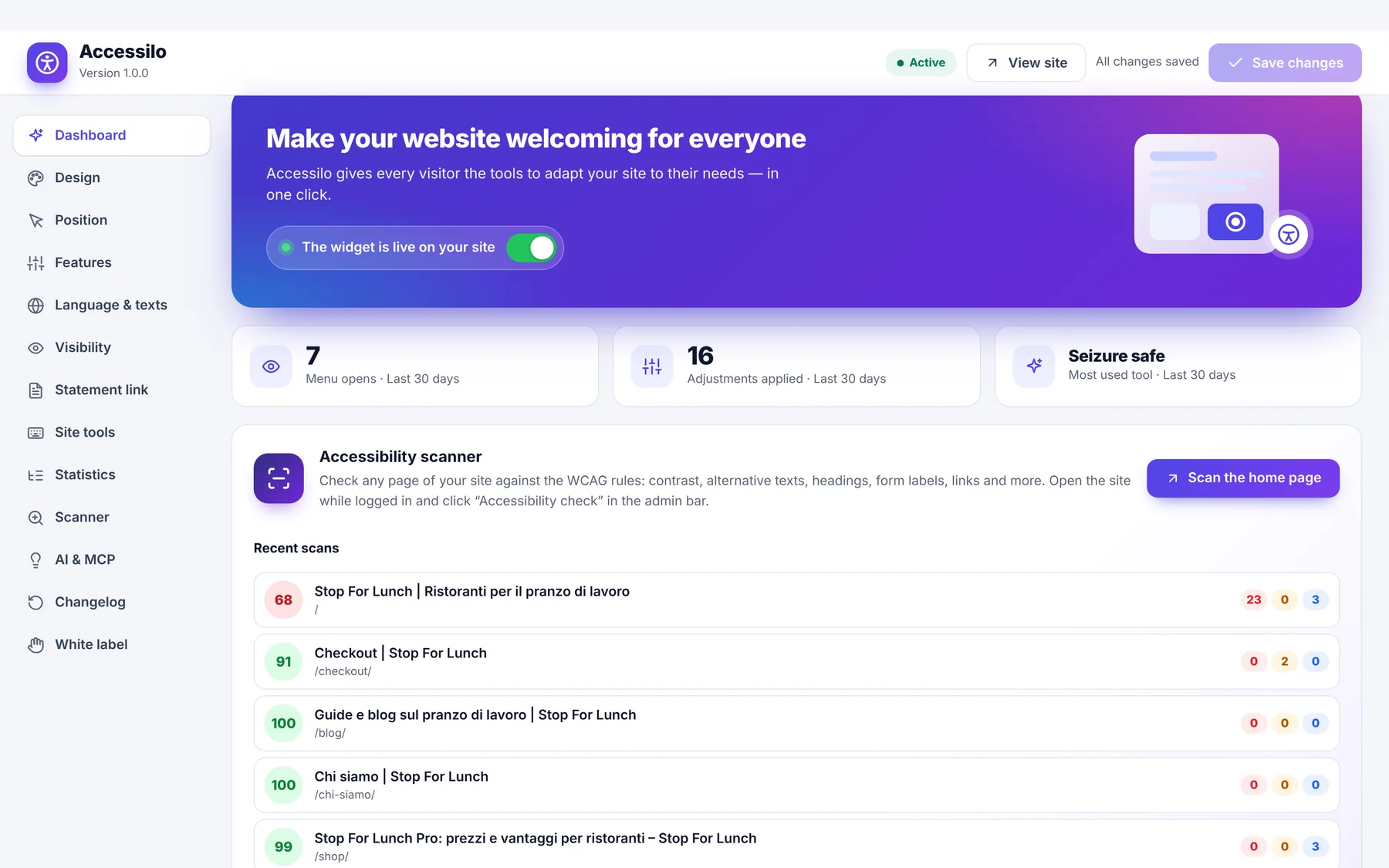
Check the page you're looking at with one click in the admin bar, or scan up to 100 pages at once from the dashboard. Results are saved, so you can track the score over time.
- 23 rules: contrast, alternative text, headings, form labels, links, zoom, touch targets…
- Issues highlighted on the page with WCAG reference and how-to-fix tip
- Average score and most frequent problems across the site
- CSV export with formula protection, copy-ready report
Your colours, your corner, your language
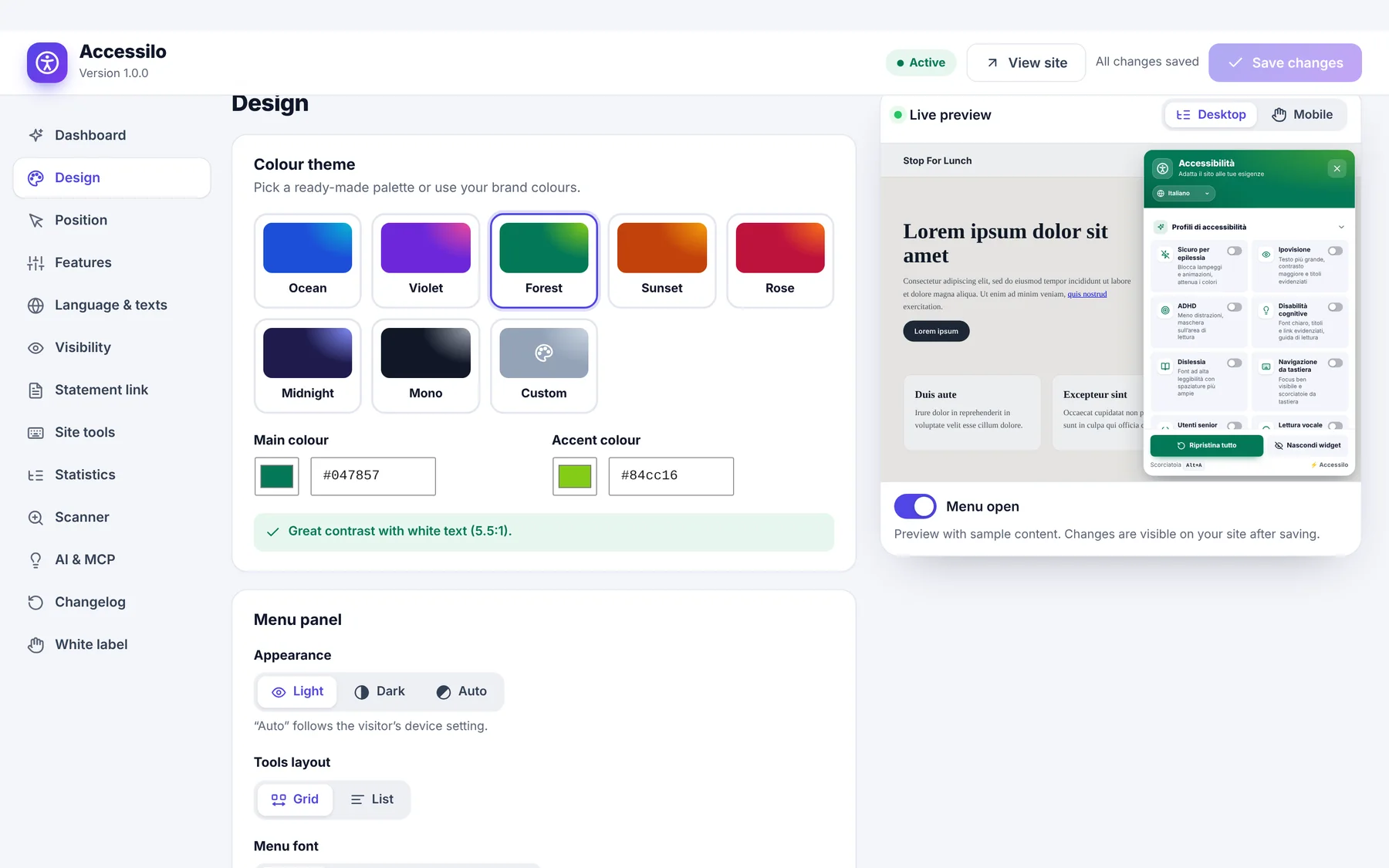
Design with live preview
7 presets or your own colours, light/dark/auto panel, grid or list, icon, shape, size and animation of the button.
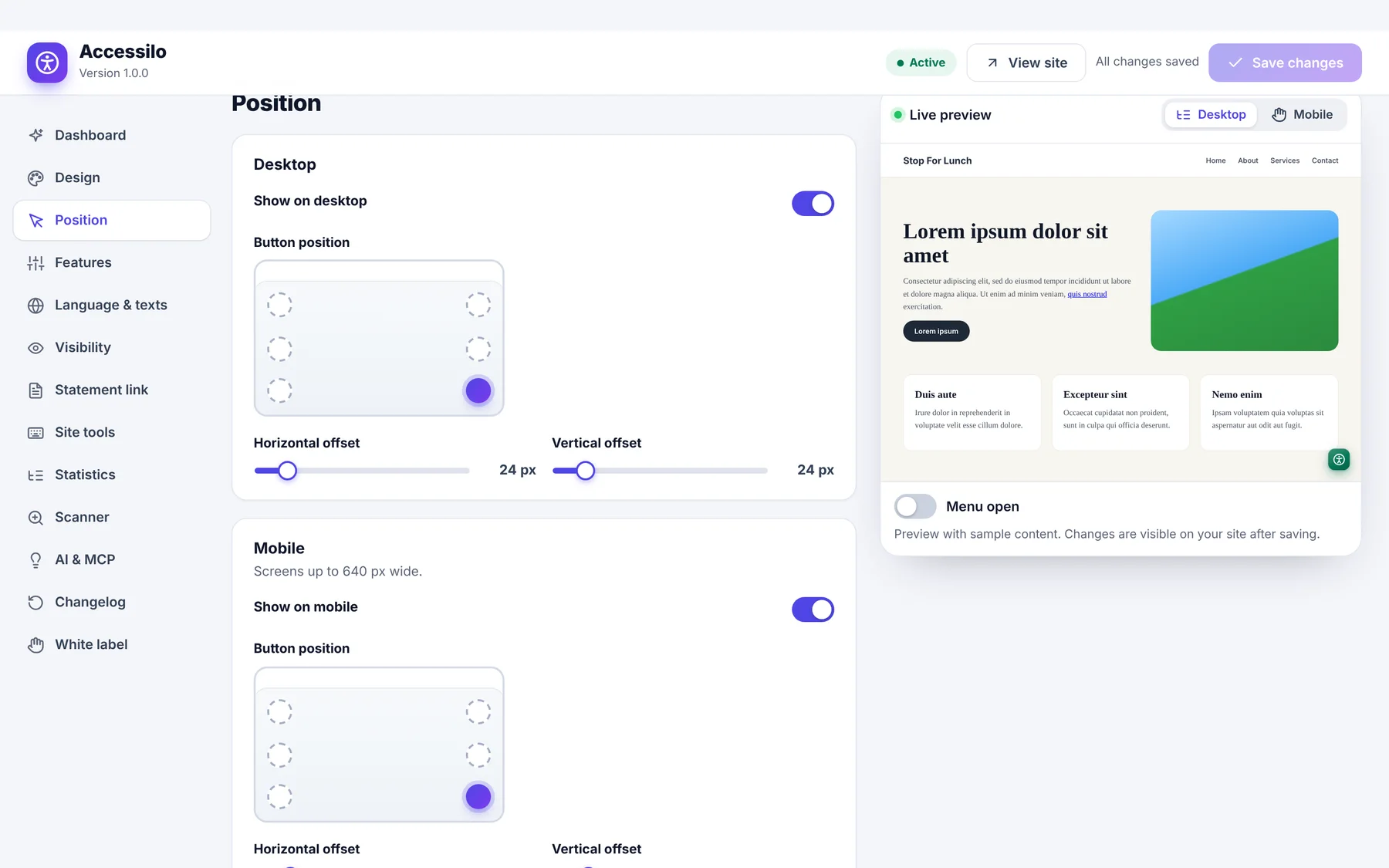
Position for desktop and mobile
Six positions, pixel offsets and button size, separately for phones.
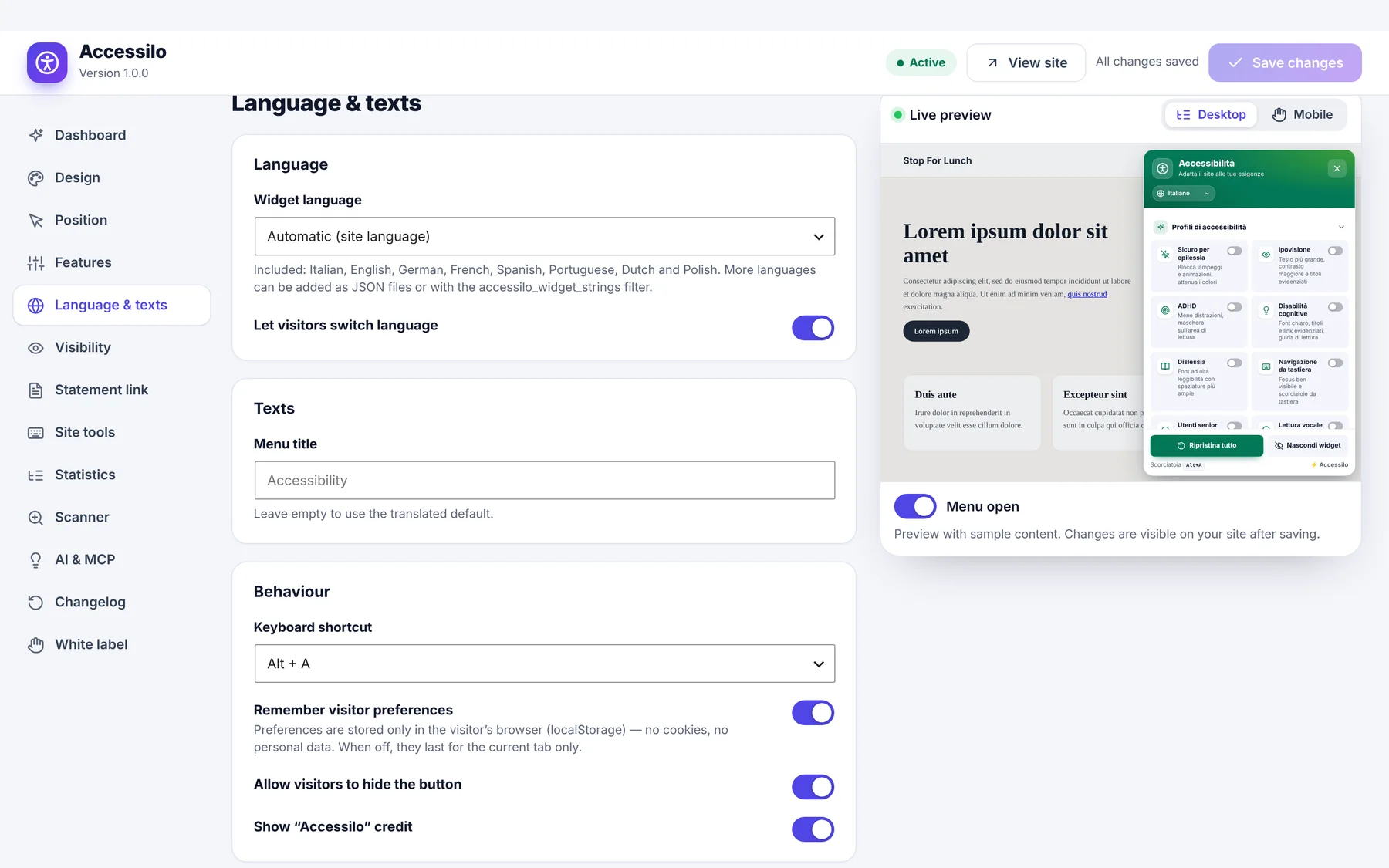
8 languages
English, Italian, German, French, Spanish, Portuguese, Dutch and Polish, following your site language, with a switcher for visitors.
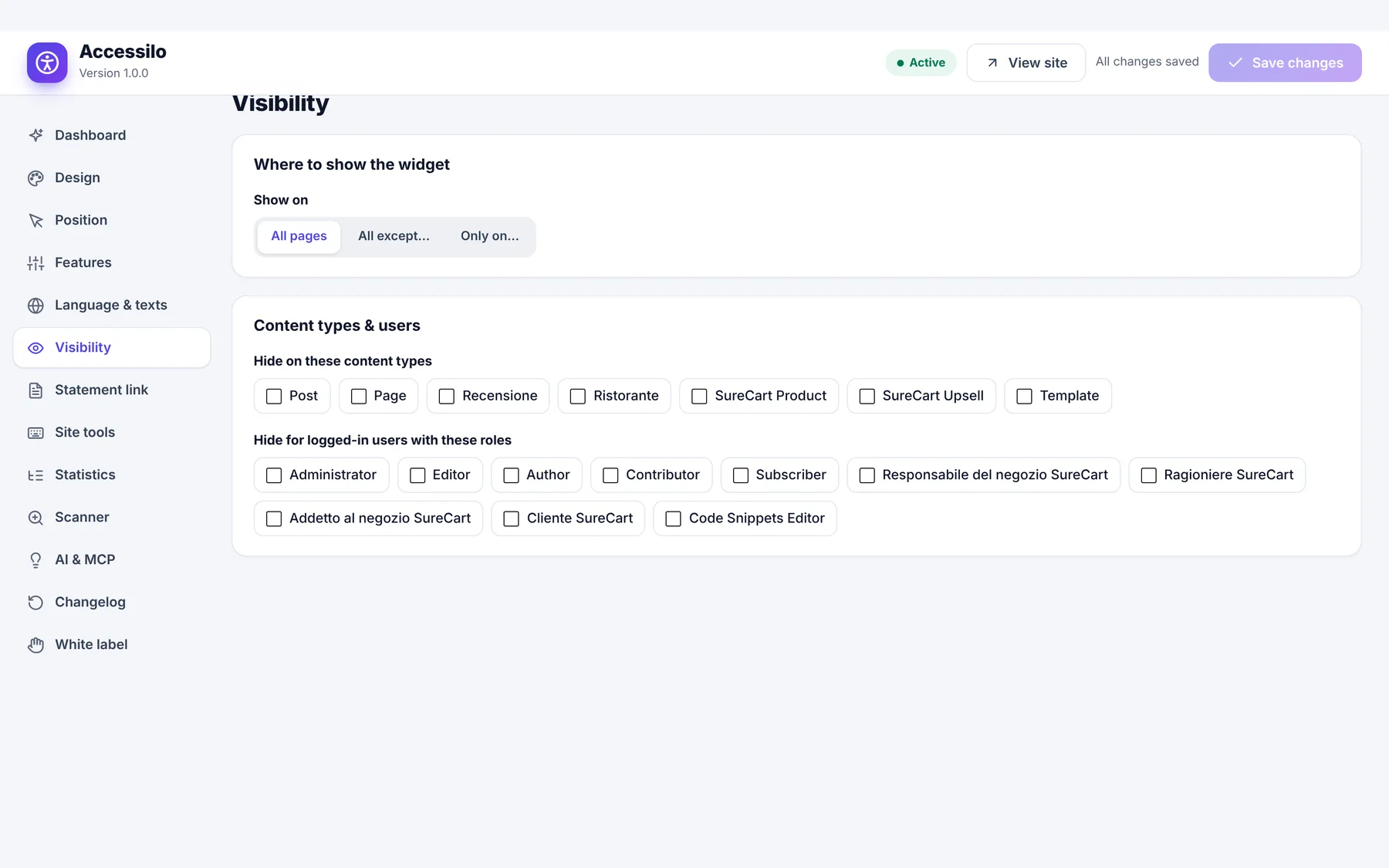
Visibility rules
Show it everywhere, on selected pages only, or hide it by content type and user role.
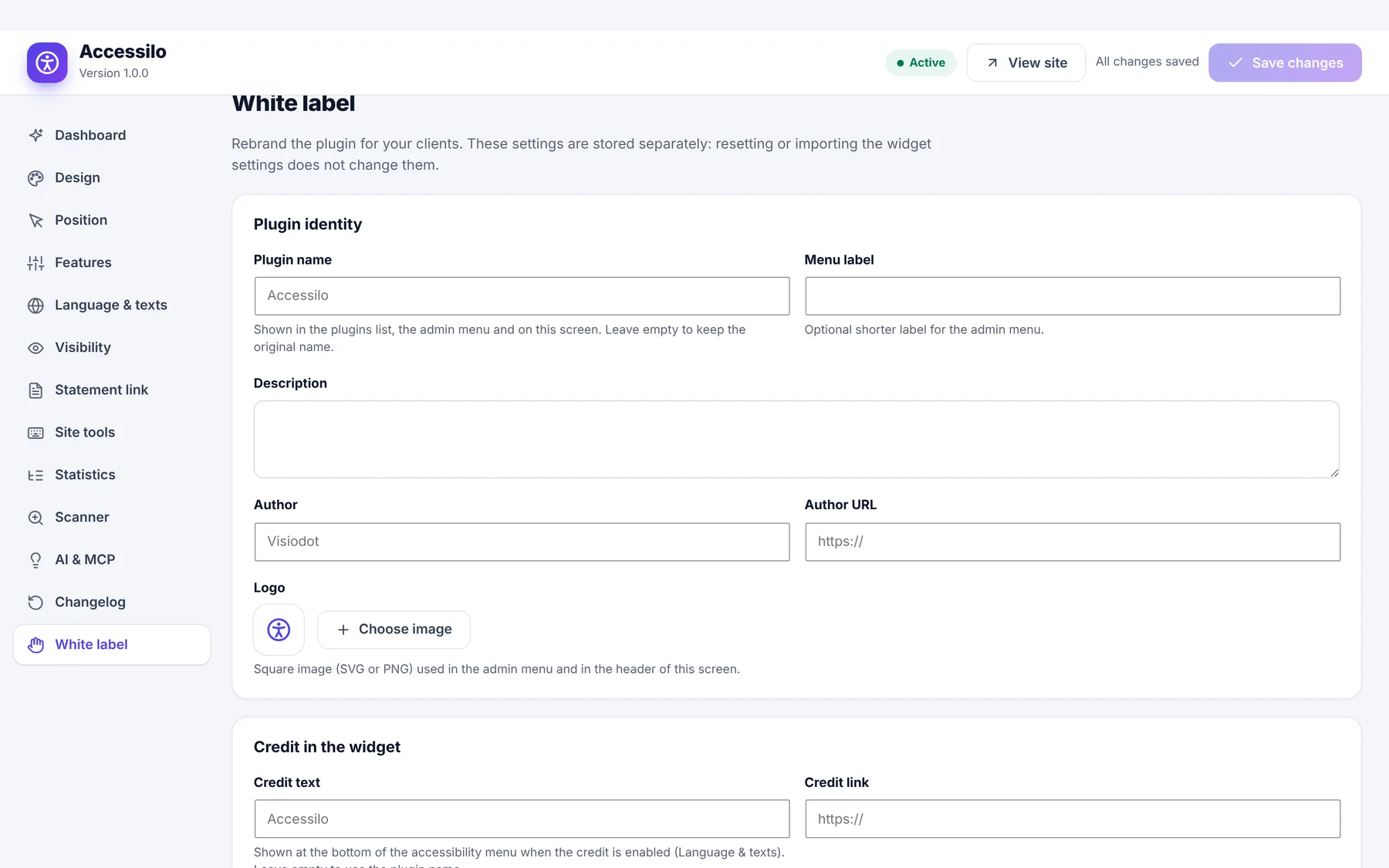
Your brand on every client site
White label lets you sell Accessilo as part of your own service, and settings move between sites in seconds.
- Plugin name, menu label, description, author, logo and widget credit
- Option to hide the white-label screen from your clients
- Export and import settings as a file
- Anonymous usage statistics to show clients what visitors use
- Clean uninstall, also on multisite
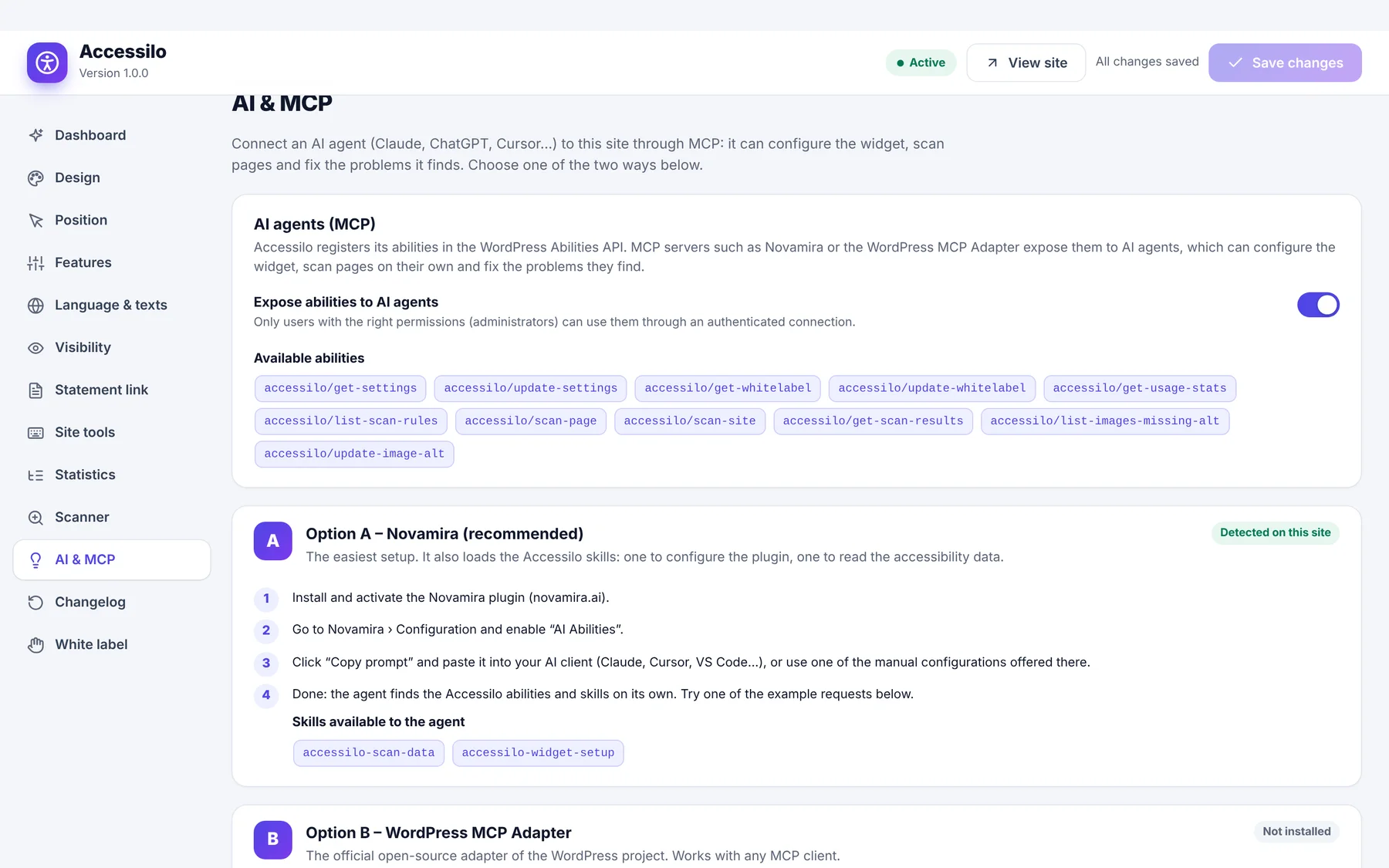
11 abilities for your AI agent
Accessilo registers its abilities in the WordPress Abilities API (WordPress 6.9+). Connect an AI client through Novamira or the official WordPress MCP Adapter, and it can set up the widget and work with the scan results for you.
- Get and update settings, get and update white label
- Read usage statistics
- List scan rules, scan a page or the whole site, read stored results
- List images without alt text and update them
- Two ready-made skills: one to configure the plugin, one to read the data
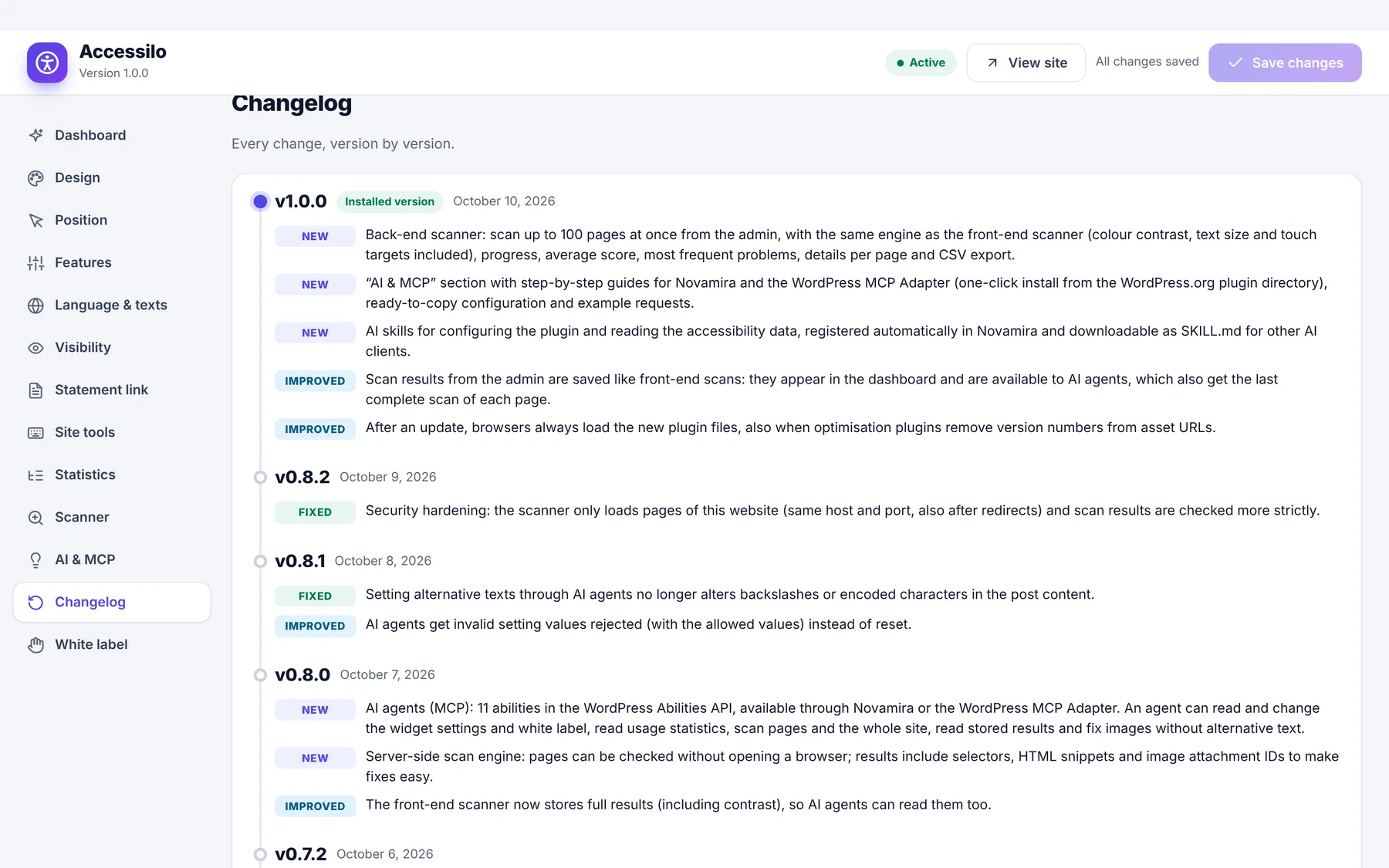
A changelog inside the plugin
Every change of every version is listed in the plugin and on this site. A small badge in the admin menu tells you when something new arrived.
Read the changelogMake your next site welcoming to everyone
Install in two minutes, tune it to your brand, and let every visitor read your site their way.
Launch offer: 35% off with LAUNCH35
