
An accessibility menu your visitors will actually enjoy using
Accessilo adds a beautiful, fully customisable menu to every page. Visitors pick a profile or a tool and your site instantly adapts to the way they read, see and navigate.
15-day money-back guarantee · Works with any theme · No cookies
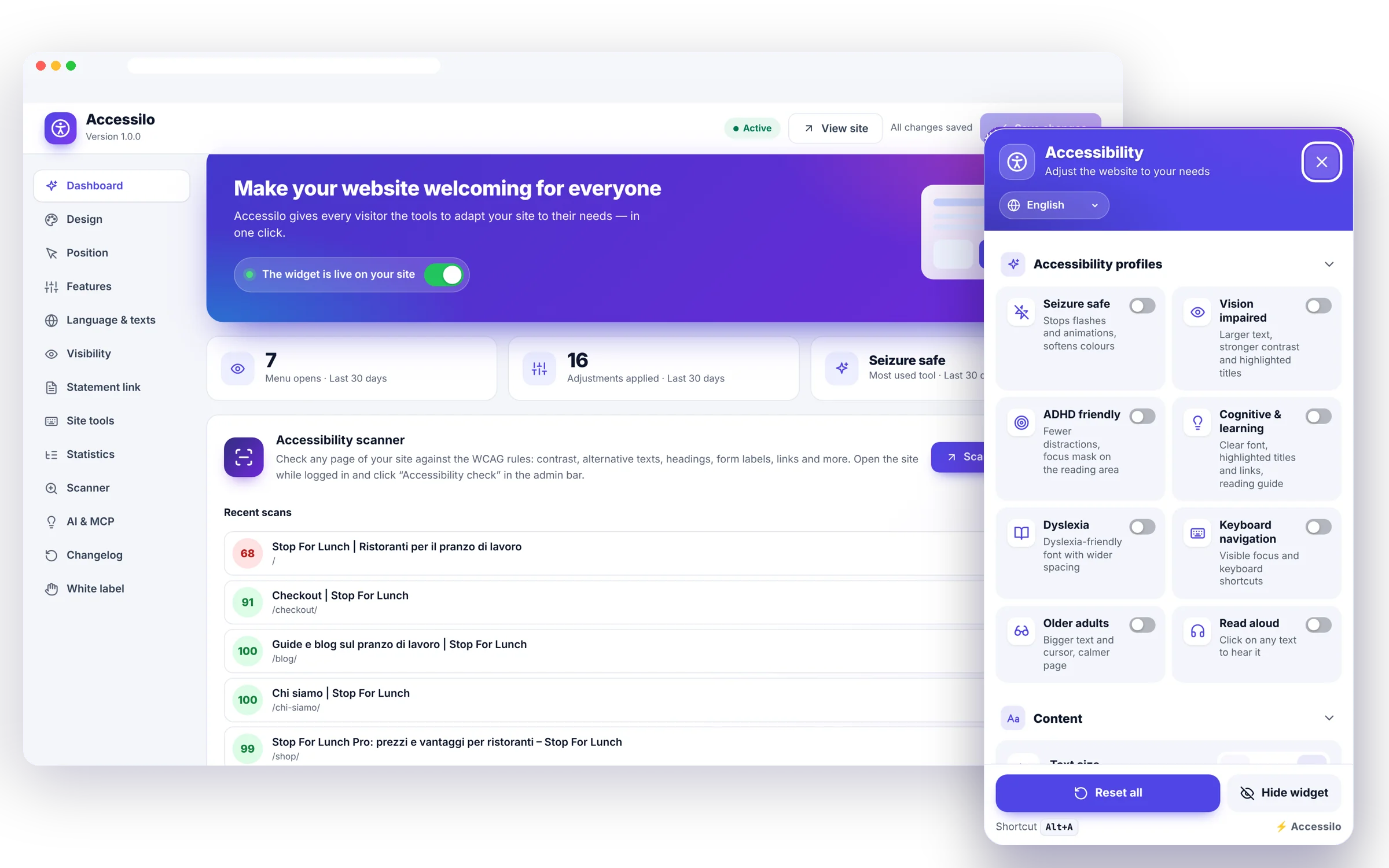
Everything a visitor needs, one click away
A complete toolkit for reading, seeing and navigating, wrapped in a menu that looks like part of your brand.
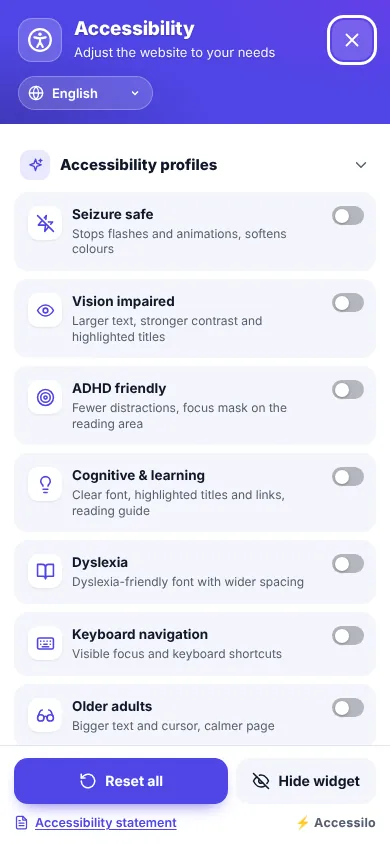
One-click profiles
Eight ready-made combinations for common needs, from Dyslexia to Older adults.
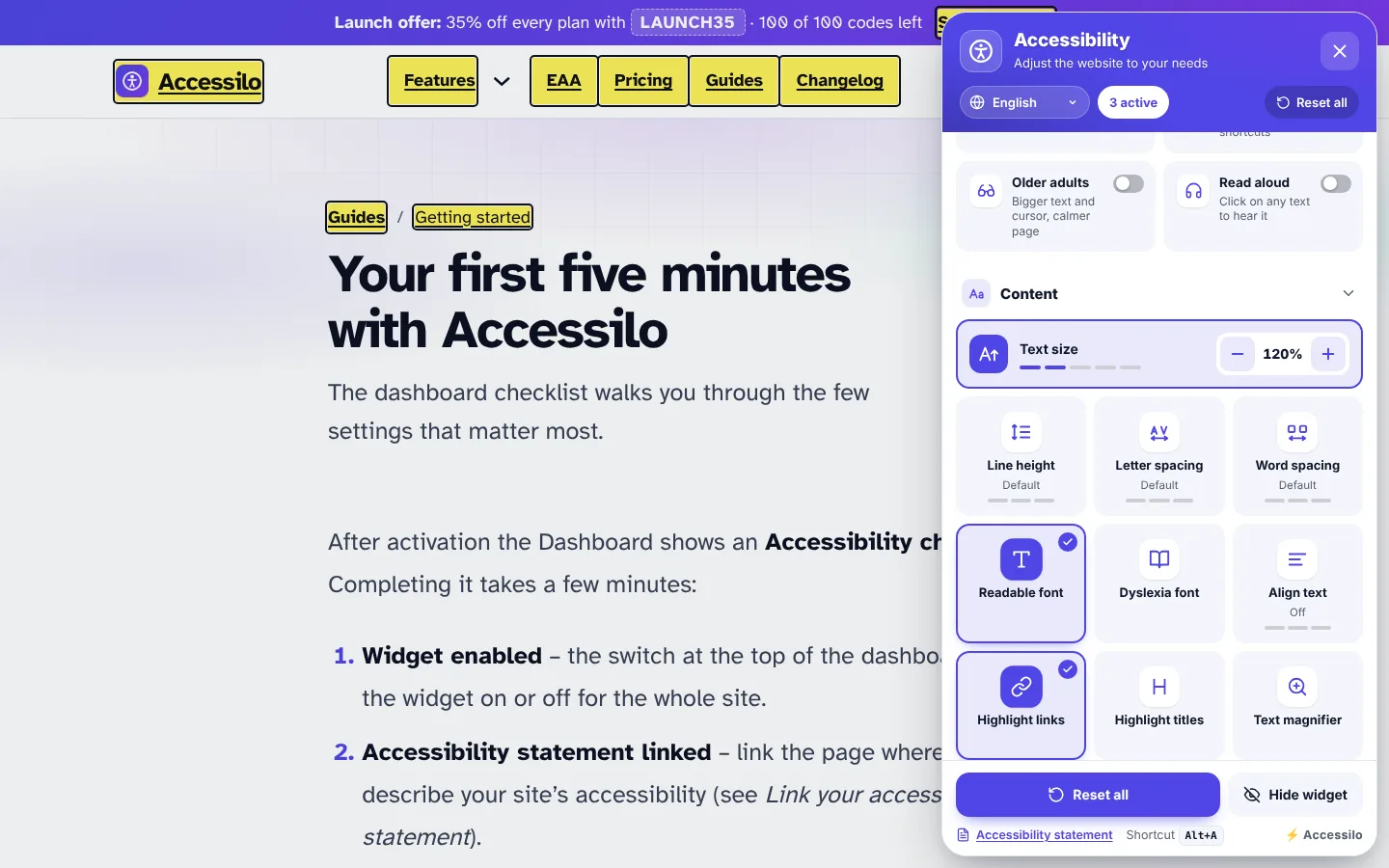
Readable content
Text size, spacing, legible fonts, highlighted links and titles, text magnifier.
Colour and contrast
Dark, light and high contrast, saturation, monochrome, invert and custom colours.
Reading aids
Read aloud, reading mode, reading guide and mask, page structure.
Calmer pages
Stop animations and GIFs, pause autoplay videos, mute sounds, hide images.
Choices that stick
Preferences are remembered in the visitor’s browser on every page and every visit.
A menu that is accessible itself
The menu is built like a proper dialog: it traps focus while open, closes with Escape, announces every change to screen readers and works fully with the keyboard. It even respects reduced motion and Windows high contrast.
- Keyboard shortcut Alt+A to open it from anywhere
- Visible focus and switch states for every option
- Live-region announcements for screen-reader users
- Works in forced-colours and reduced-motion modes
Isolated, lightweight and fast
The widget runs inside a Shadow DOM, so it never inherits or breaks your theme’s styles, whatever builder you use. It is a single vanilla JavaScript file loaded with defer, and fonts load only when someone turns them on.
- No jQuery, no frameworks, no external services
- Works with Bricks, Elementor, Gutenberg, Divi and classic themes
- Mobile-ready with its own size and position
- Hide it on chosen pages, content types or user roles
Live in under five minutes
No account, no API key, no code.
Install and activate
Upload the zip and activate: the widget appears immediately with sensible defaults.
Make it yours
Pick colours, icon, size and position with the live preview on desktop and mobile.
Let visitors choose
They open the menu, choose a profile or a tool and enjoy your site their way.
Questions about accessibility widget
Does the widget slow down my site?
No. It is one small vanilla JavaScript file loaded with defer, without jQuery or frameworks. Fonts are only downloaded when a visitor turns them on.
Is the menu itself accessible?
Yes. It uses dialog semantics with a focus trap, closes with Escape, announces changes to screen readers, supports the keyboard fully and respects reduced-motion and forced-colours settings.
Will it clash with my theme or page builder?
No. The menu lives in a Shadow DOM, so its styles stay separate from your theme and from builders like Bricks, Elementor or Gutenberg.
Can I open the menu from my own button?
Yes. Use the shortcode, add the class accessilo-open to any element, link to #accessilo or call Accessilo.open() in JavaScript.
15-day money-back guarantee
Try Accessilo on your sites with zero risk. If it's not right for you, for any reason, write to us within 15 days of your purchase and we'll refund you in full. No questions asked.
Make your next site welcoming to everyone
Install in two minutes, tune it to your brand, and let every visitor read your site their way.
Launch offer: 35% off with LAUNCH35
