
A widget that looks like it was made for your brand
Colours, icons, shapes, sizes and positions, all with a live preview on desktop and mobile. Visitors get a menu that feels like part of your site.
Free: 3 ready-made colour themes · Pro: full design control · Works with any theme · No cookies
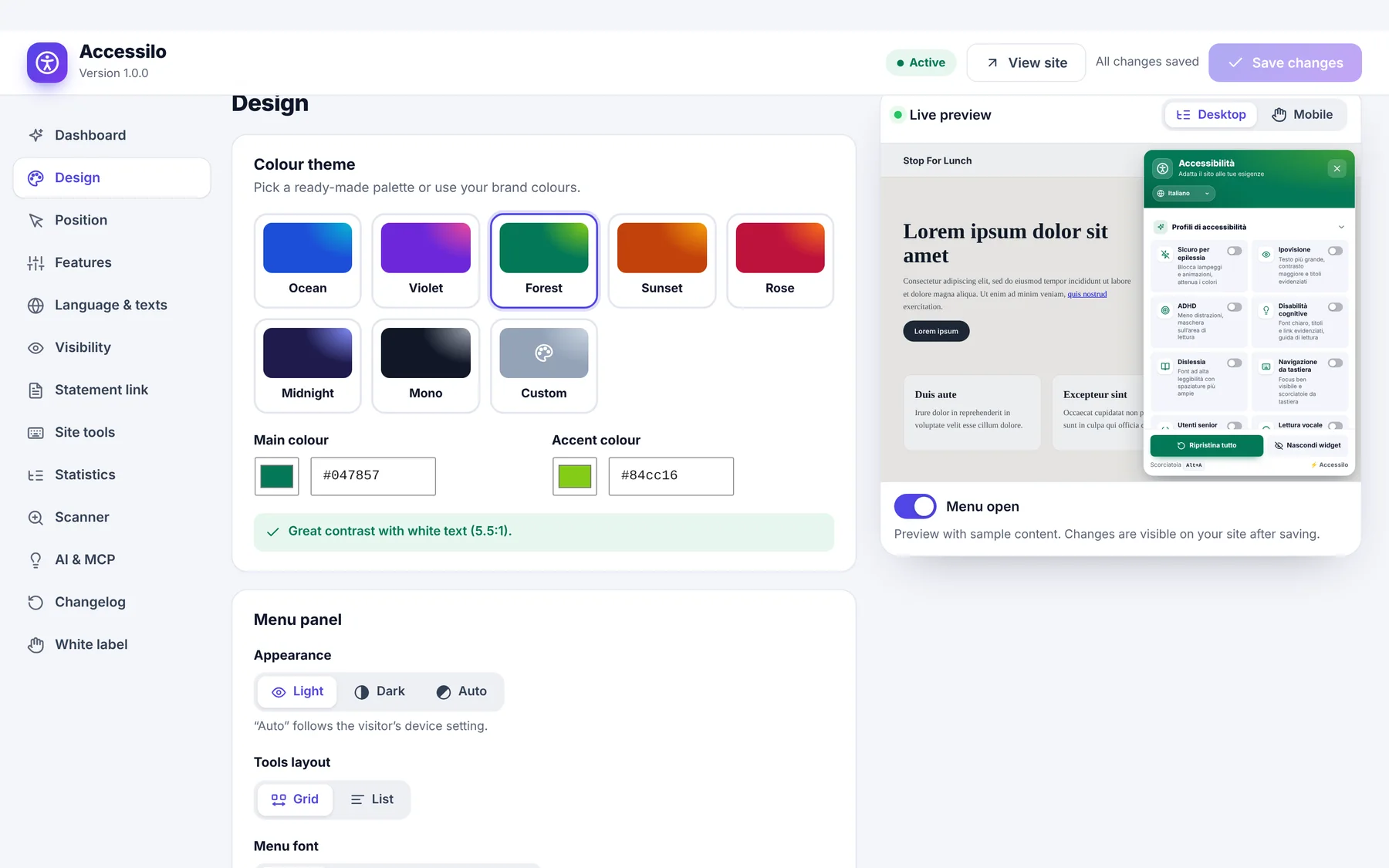
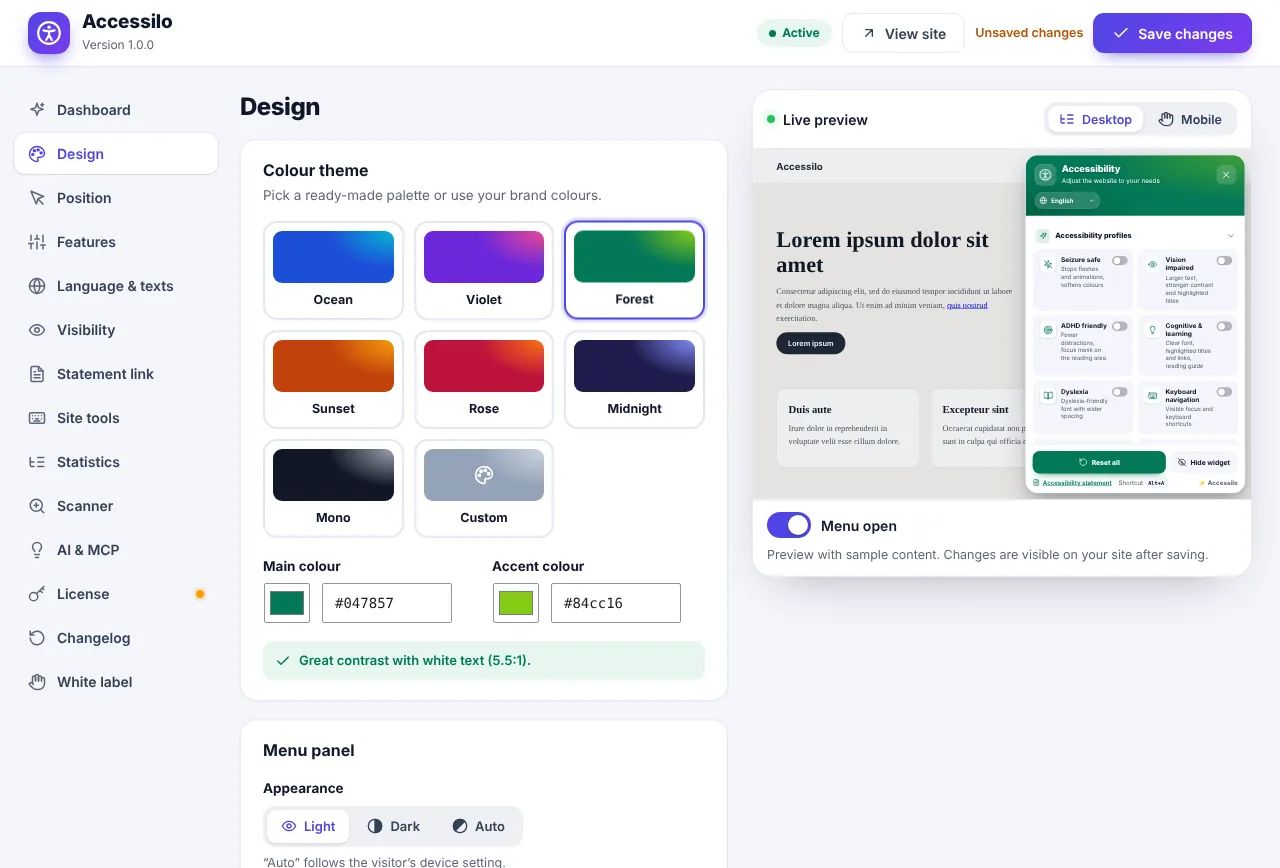
A complete design studio with live preview
See every change before you save it.
Presets or brand colours
Seven presets or your own colours, with an automatic contrast check.
Icons, shapes and sizes
Six icons, four shapes and three sizes for the button.
Light, dark or auto panel
Match the menu to your site or to the visitor’s system theme.
Desktop and mobile
Independent position, offset and size for each device.
Visibility rules
Include or exclude pages, content types and user roles.
Import and export
Copy your setup to another site in seconds.
Design it in real time
Every colour, icon and effect updates instantly in the preview next to the settings. Pick a preset or enter your brand colours and Accessilo checks the contrast for you.
Questions about design, position and visibility
Can I hide the widget on some pages?
Yes. Visibility rules let you include or exclude specific pages, content types and user roles.
Can I copy my settings to another site?
Yes. Export the settings as a file and import them on any other site running Accessilo.
Can I add my own CSS?
Yes. A custom CSS field lets you fine-tune the menu’s look inside its isolated styles.
15-day money-back guarantee
Try Accessilo on your sites with zero risk. If it's not right for you, for any reason, write to us within 15 days of your purchase and we'll refund you in full. No questions asked. Read the refund policy.
Give your next WordPress site more than a widget
Install the plugin in two minutes: WCAG scanner, automatic fixes, alt texts, testing and a visitor menu, all in one.
Black Friday offer: 40% off with BLACKFRIDAY40
