
See exactly what to improve, page by page
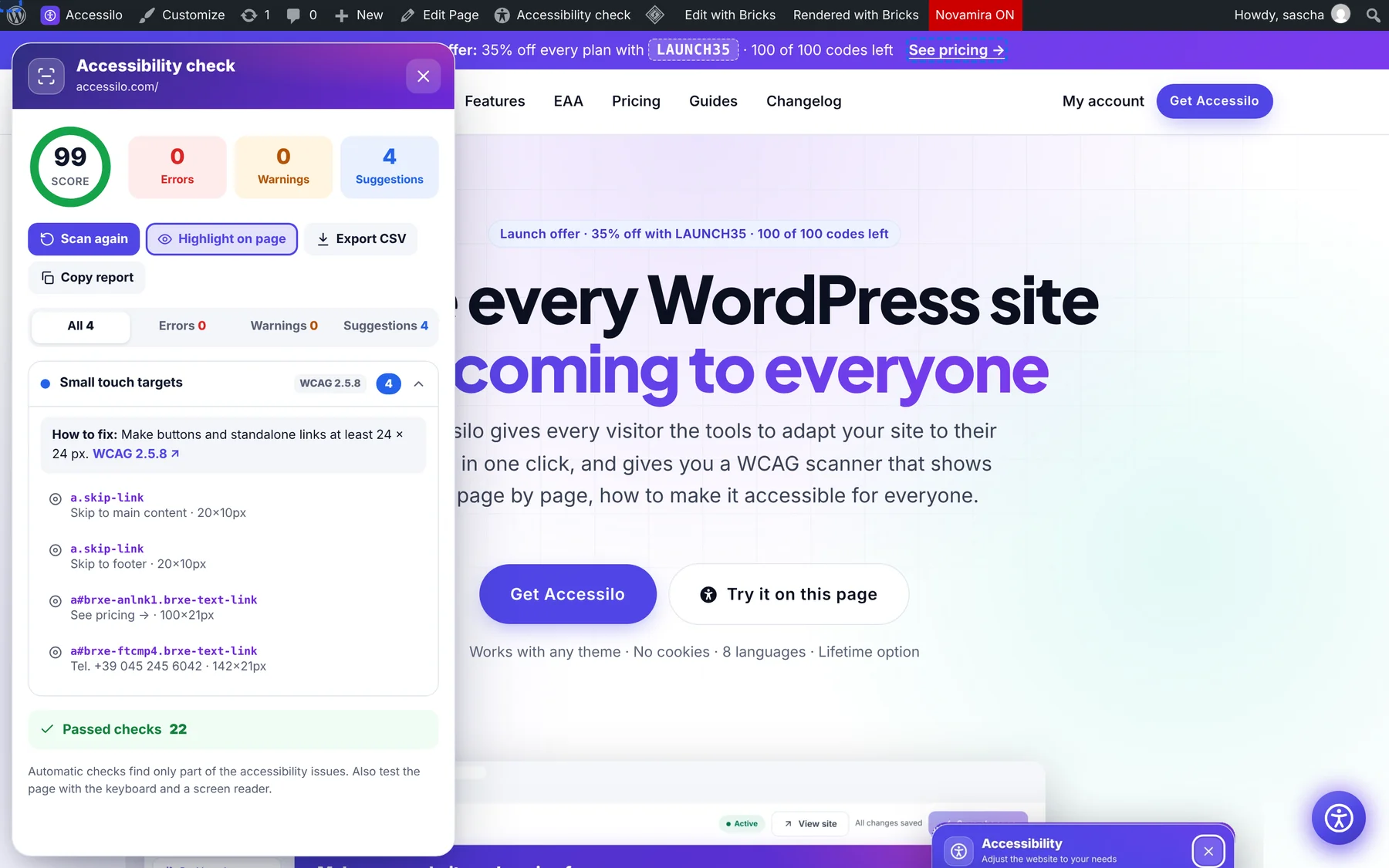
Accessilo checks your real, rendered pages against 23 WCAG checks and explains each finding in plain language, with the affected elements and a tip on how to fix it.
15-day money-back guarantee · Works with any theme · No cookies
A clear to-do list for a more accessible site
Automated checks catch many common issues quickly, so you fix them before visitors run into them.
Score per page
A clear score with errors, warnings and suggestions.
WCAG reference
Every issue linked to the success criterion it relates to.
How to fix
A practical tip for each issue, written for site owners.
Highlight on page
Jump to the affected elements right on the live page.
Site-wide scans
Scan up to 100 pages at once from the dashboard.
Export and share
Export results as CSV or copy a report for your team or client.
Check any page right where you see it
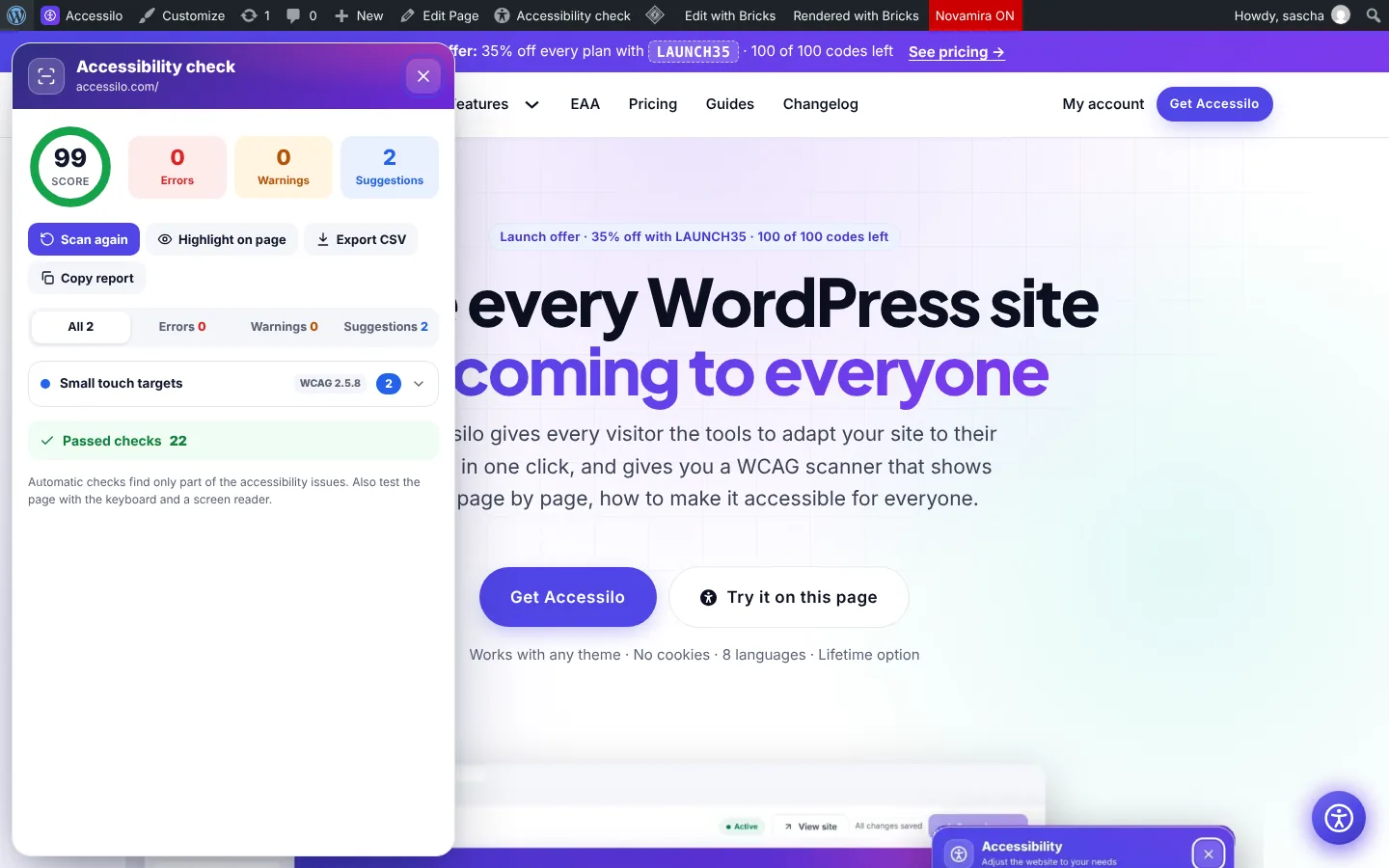
Browsing your site as an administrator? Click “Accessibility check” in the admin bar and the results open on top of the page. Colour contrast, text size and touch targets are measured on the rendered page, exactly as visitors see it.
- Score with errors, warnings and suggestions
- WCAG reference and how-to-fix tip for every issue
- Highlight affected elements on the page
- Only administrators see the scanner
Scan your whole site from the dashboard
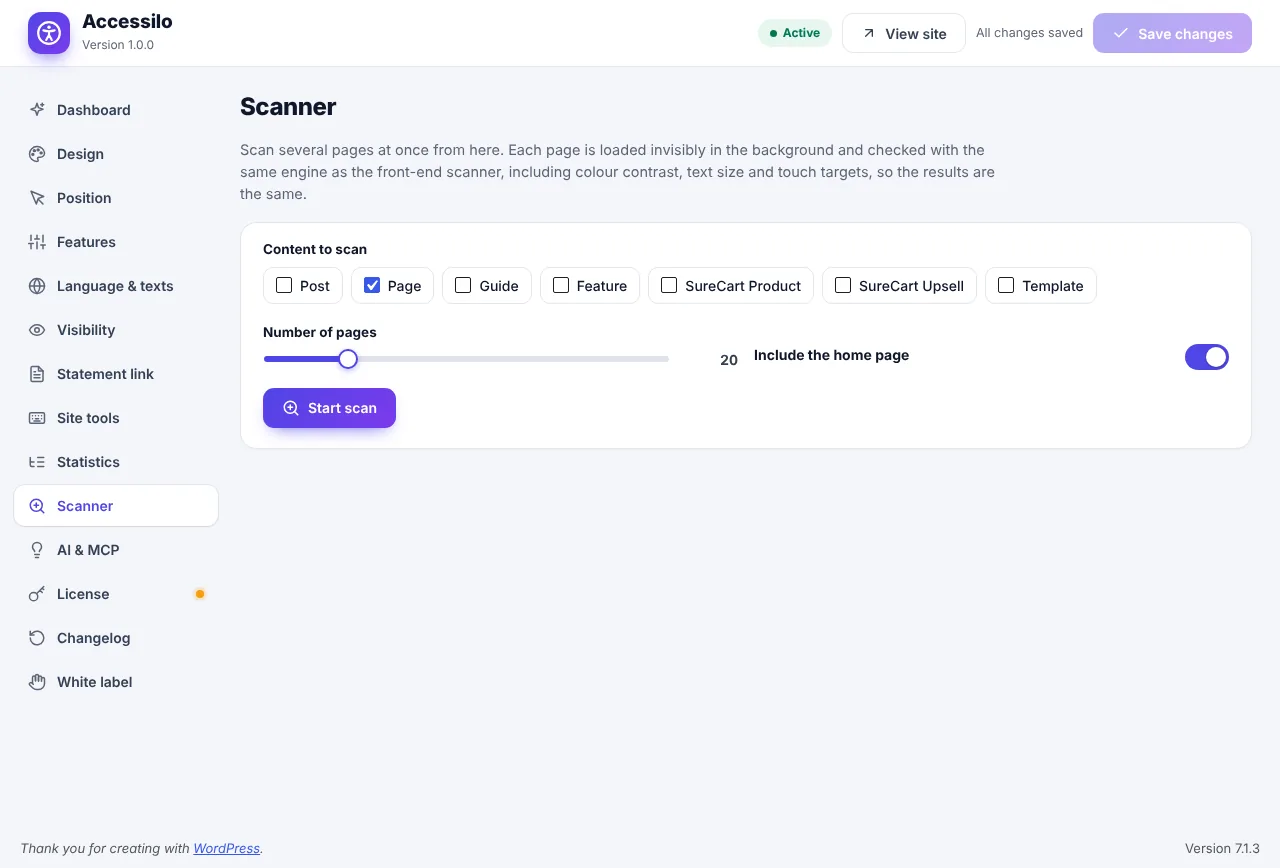
Choose the content types, set how many pages to include and start the scan. Accessilo loads each page in the background with the same engine and stores the results.
- Pages, posts, guides, products and more
- Up to 100 pages per scan, home page included
- Results saved and shown on the dashboard
- Run it again after every change
Your progress on the dashboard
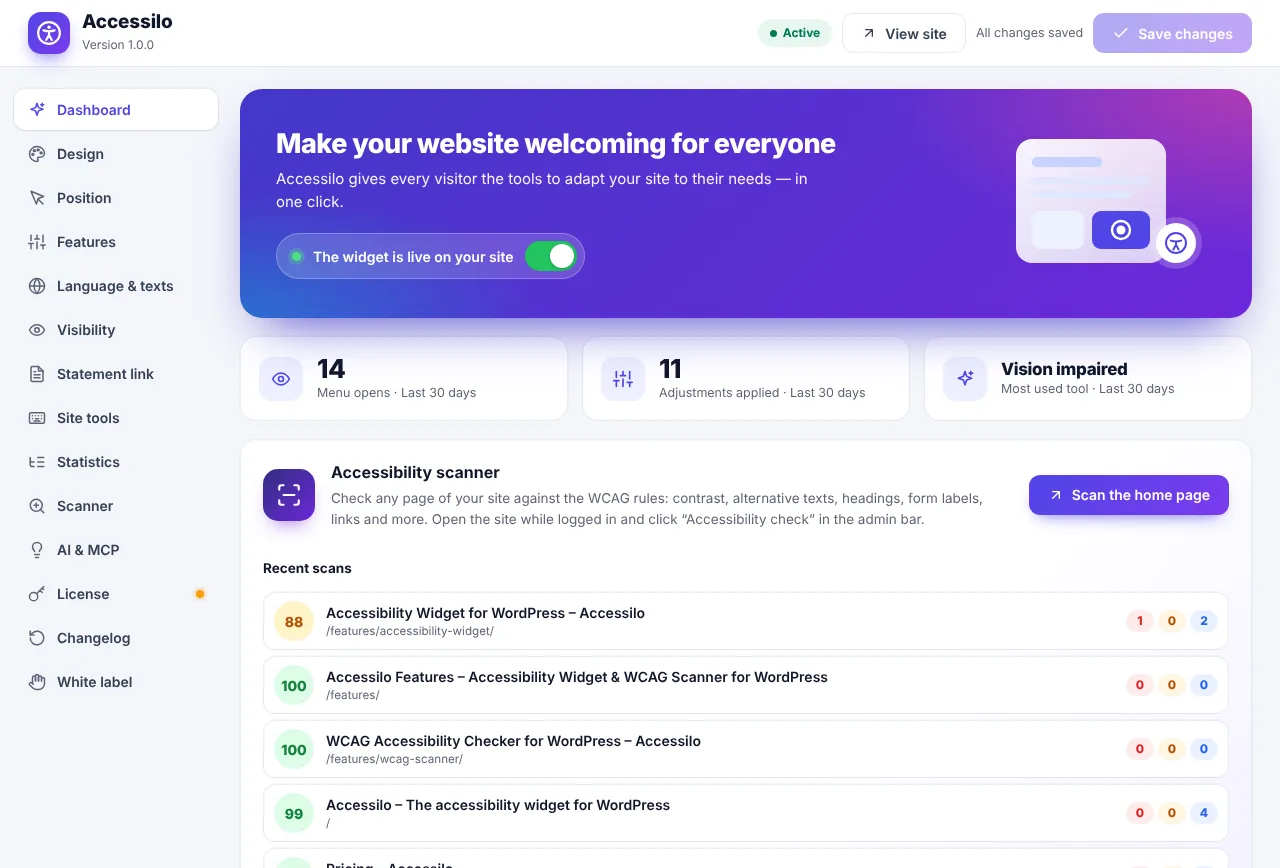
The dashboard shows recent scans with their scores, so you see at a glance which pages need attention and how your site improves over time.
- Recent scans with score and issue counts
- Open any page’s results with one click
- Setup checklist for a quick start
- Usage numbers from the widget
How it works
From first scan to fixes in minutes.
Scan a page or the site
Use the admin bar on any page or start a site scan from the dashboard.
Review the findings
Open each issue to read the WCAG reference and the tip.
Fix and re-scan
Make the changes, run the check again and watch the score go up.
Questions, answered
Do visitors see the scanner?
No. Only logged-in administrators can run checks and see results.
Which issues does it check?
23 checks including alternative text, colour contrast, headings, form labels, link and button names, language, touch target size, duplicate IDs and more.
Does a perfect score mean my site is fully compliant?
A high score is a great sign that common issues are handled. Some WCAG criteria need human judgement, so complete your work with a manual review and testing.
Can an AI agent run scans for me?
Yes. Through MCP an AI agent can scan pages, read the results and even fix missing alt text. See AI agents and MCP.
15-day money-back guarantee
Try Accessilo on your sites with zero risk. If it's not right for you, for any reason, write to us within 15 days of your purchase and we'll refund you in full. No questions asked.
Make your next site welcoming to everyone
Install in two minutes, tune it to your brand, and let every visitor read your site their way.
Launch offer: 35% off with LAUNCH35
