
The right adjustments for every need, in a single click
Not everyone knows which mix of font, spacing and contrast works for them. Accessilo’s eight profiles do the thinking, so visitors get a comfortable page instantly and fine-tune from there.
15-day money-back guarantee · Works with any theme · No cookies
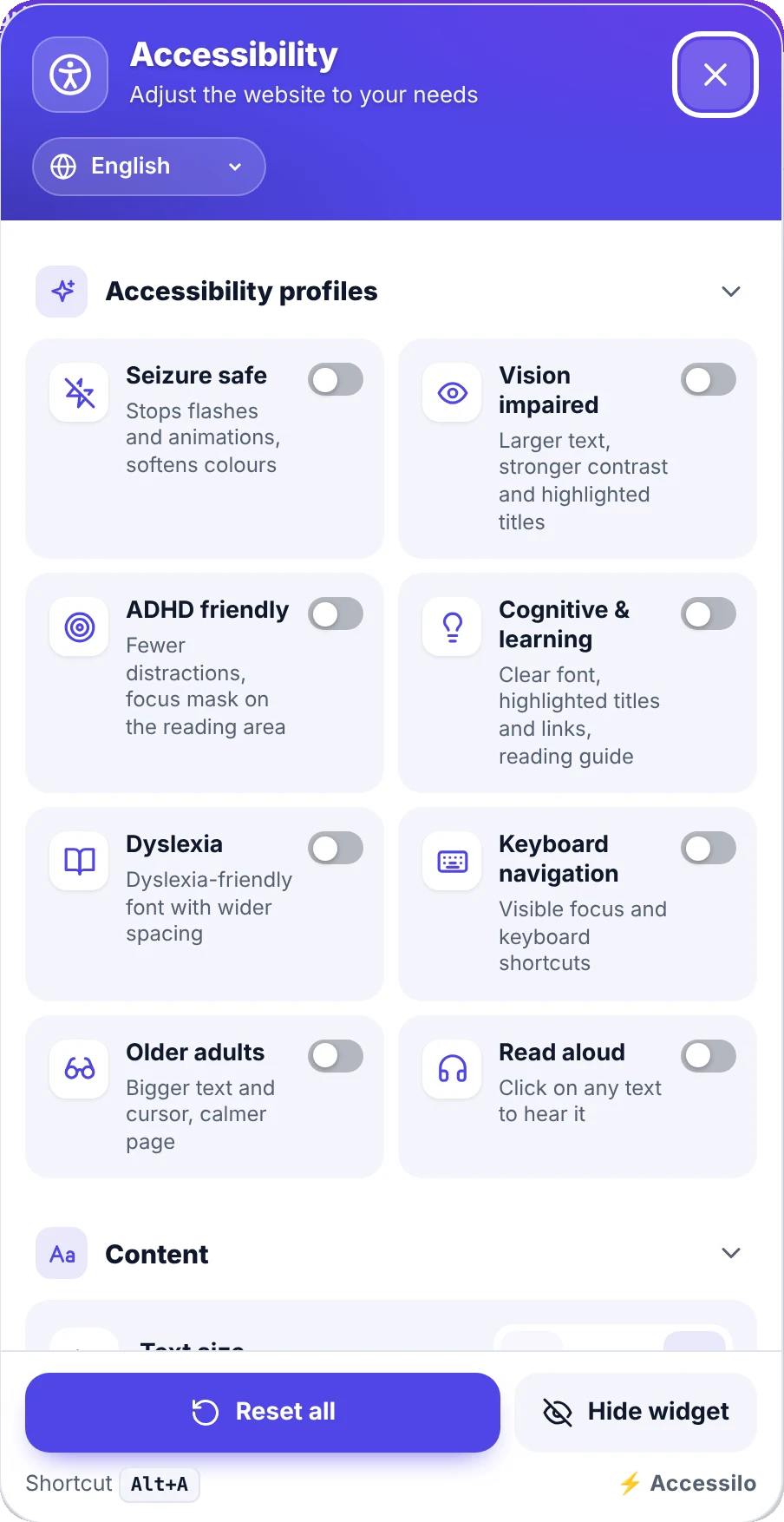
Visitors recognise their need by name
Each profile combines several adjustments that work well together for a specific group of visitors.
Seizure safe
Stops flashes and animations and softens colours.
Vision impaired
Larger text, stronger contrast, highlighted links and titles.
ADHD friendly
Fewer distractions and a focus mask on the reading area.
Cognitive & learning
Clear font, highlighted titles and links, reading guide.
Dyslexia
A dyslexia-friendly font with more generous spacing.
Keyboard navigation
Strong visible focus and keyboard shortcuts.
Older adults
Bigger text and cursor and a calmer page.
Read aloud
Click any text to hear it with the browser’s voices.
From standard page to comfortable reading
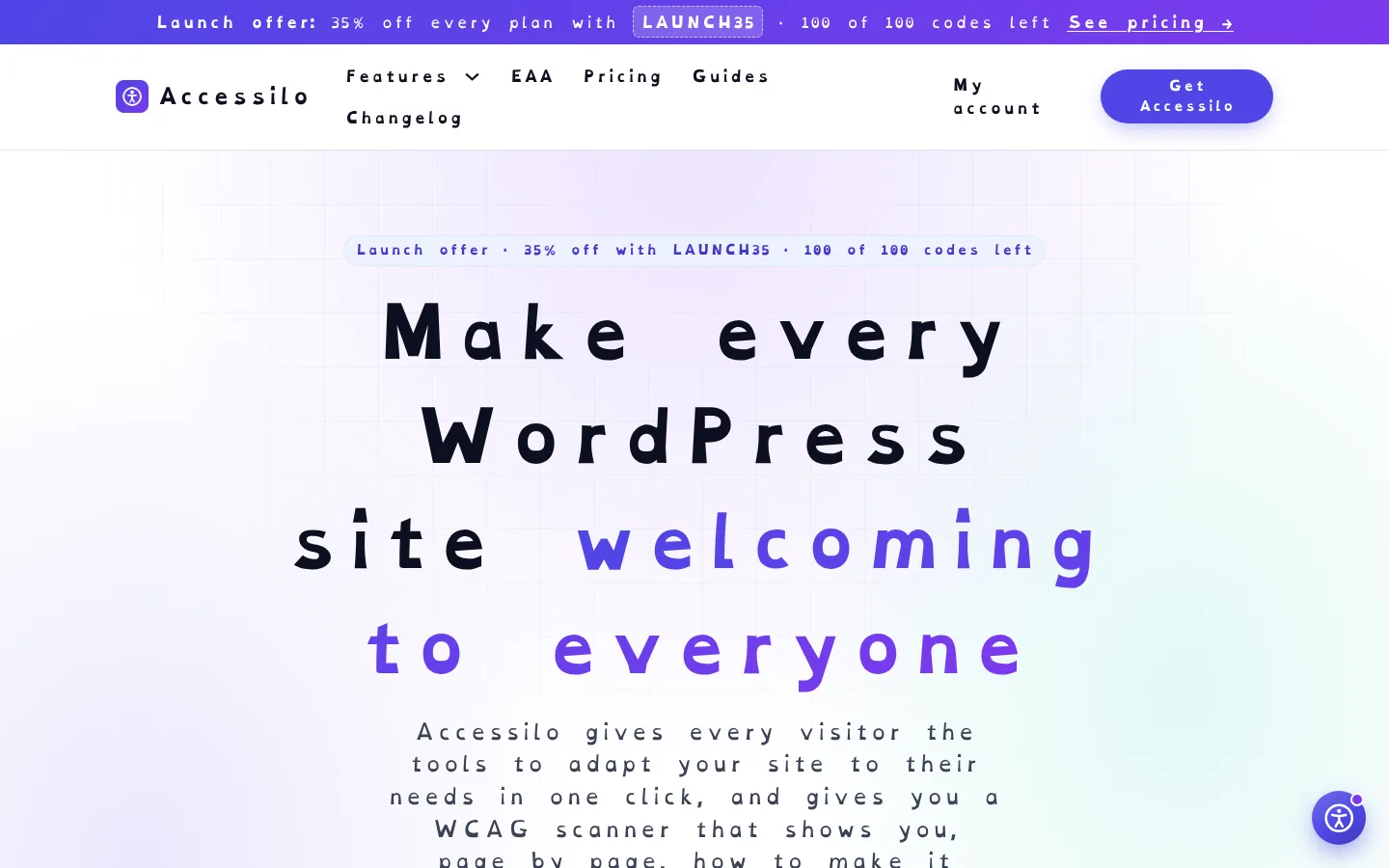
With the Dyslexia profile, the whole page switches to a dyslexia-friendly font with wider letter and word spacing. Your layout stays intact, the reading gets easier.
- Applies to the whole site, not just one page
- Your design is untouched for everyone else
- Combine profiles with any individual tool
- One reset button brings everything back
Calmer pages for easily distracted readers
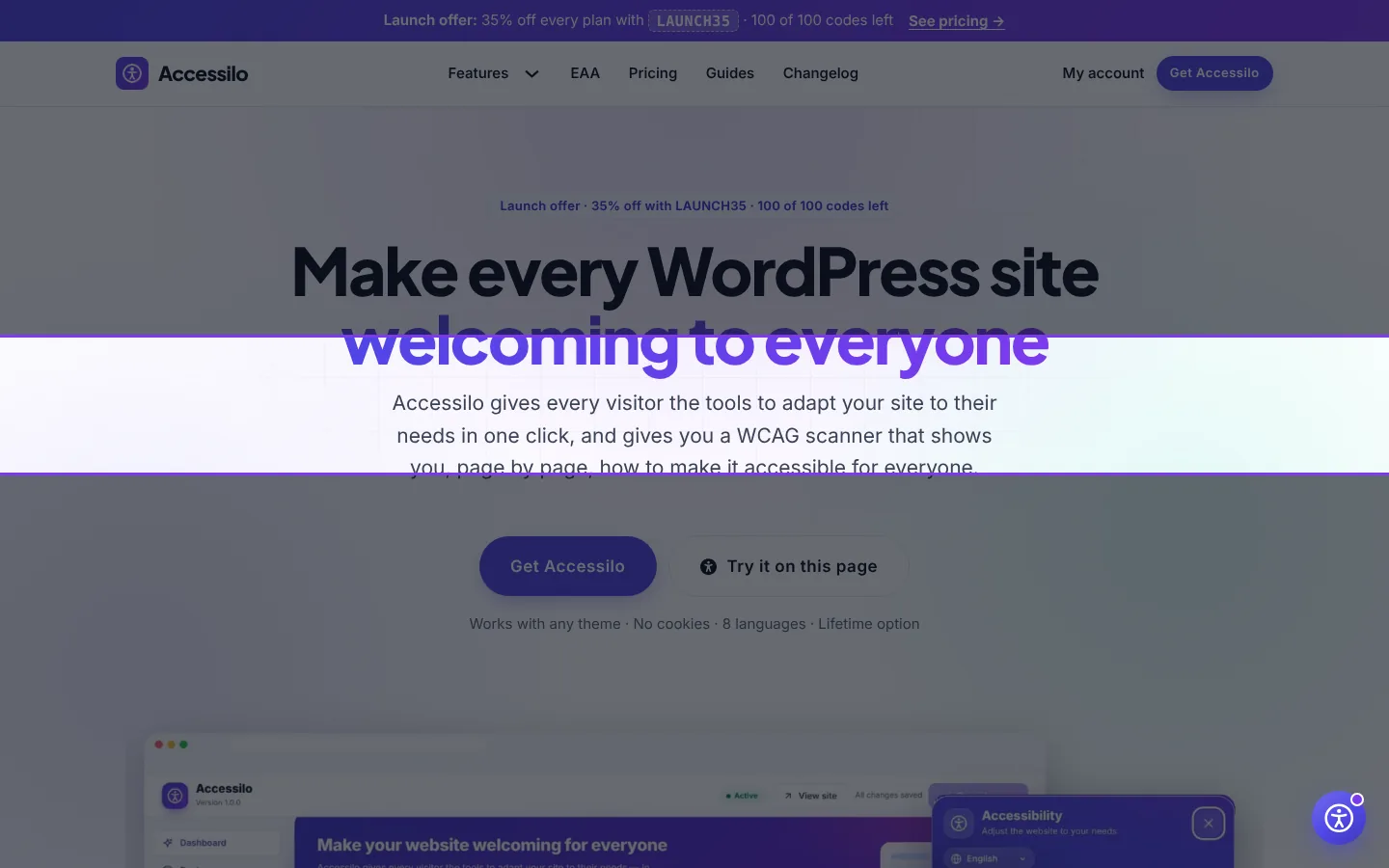
The ADHD friendly profile dims everything except the area being read and quiets the page, so visitors can stay on your content instead of drifting away.
- Focus mask that follows the reader
- Animations and autoplay stopped
- Works on any theme and any content
- Remembered on every following page
Comfortable for older visitors
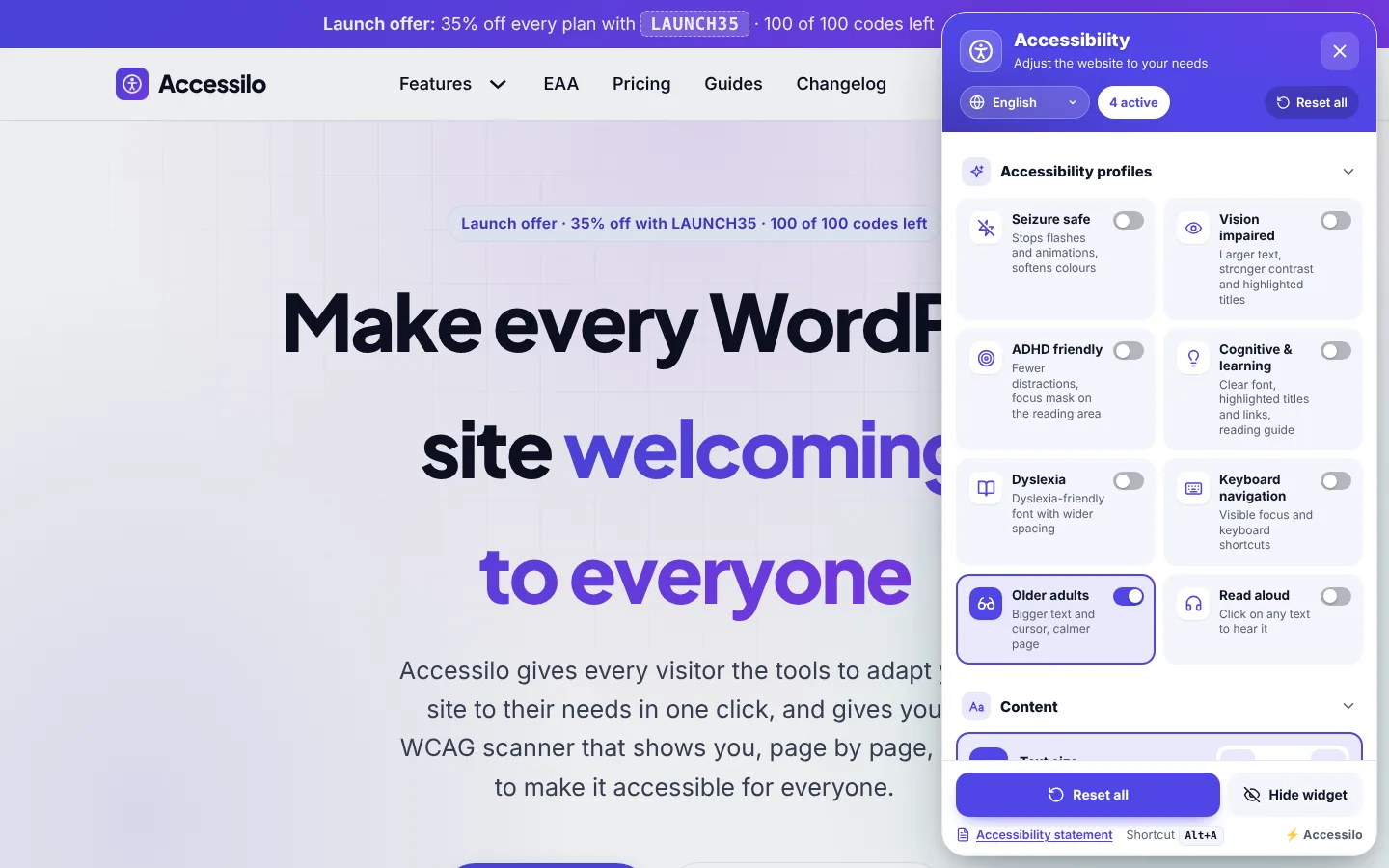
Older adults get larger text, a bigger cursor and a calmer page in one click. The menu shows exactly which options are active, so nobody gets lost.
- Active profile and tools clearly marked
- Counter of active adjustments in the header
- Undo any single tool or reset everything
- Same experience on desktop and mobile
How profiles work
Simple for visitors, effortless for you.
Open the menu
Visitors click the accessibility button or press Alt+A.
Choose a profile
The page updates instantly with the right combination of adjustments.
Fine-tune if needed
Every tool can still be adjusted, and the choice is remembered site-wide.
Questions about one-click profiles
Can I hide profiles I don’t need?
Yes. Every profile and every individual tool can be switched on or off on the Features screen.
Do profiles change my site for everyone?
No. Profiles only change the page for the visitor who chooses them, in their own browser.
Can visitors combine several profiles?
Yes. Profiles can be combined with each other and with any individual tool.
Are the profile names translated?
Yes, the whole menu is available in 8 languages: English, Italian, German, French, Spanish, Portuguese, Dutch and Polish.
15-day money-back guarantee
Try Accessilo on your sites with zero risk. If it's not right for you, for any reason, write to us within 15 days of your purchase and we'll refund you in full. No questions asked.
Make your next site welcoming to everyone
Install in two minutes, tune it to your brand, and let every visitor read your site their way.
Launch offer: 35% off with LAUNCH35
