
A widget that looks like it was made for your brand
Colours, icons, shapes, sizes and positions, all with a live preview on desktop and mobile. Visitors get a menu that feels like part of your site.
15-day money-back guarantee · Works with any theme · No cookies
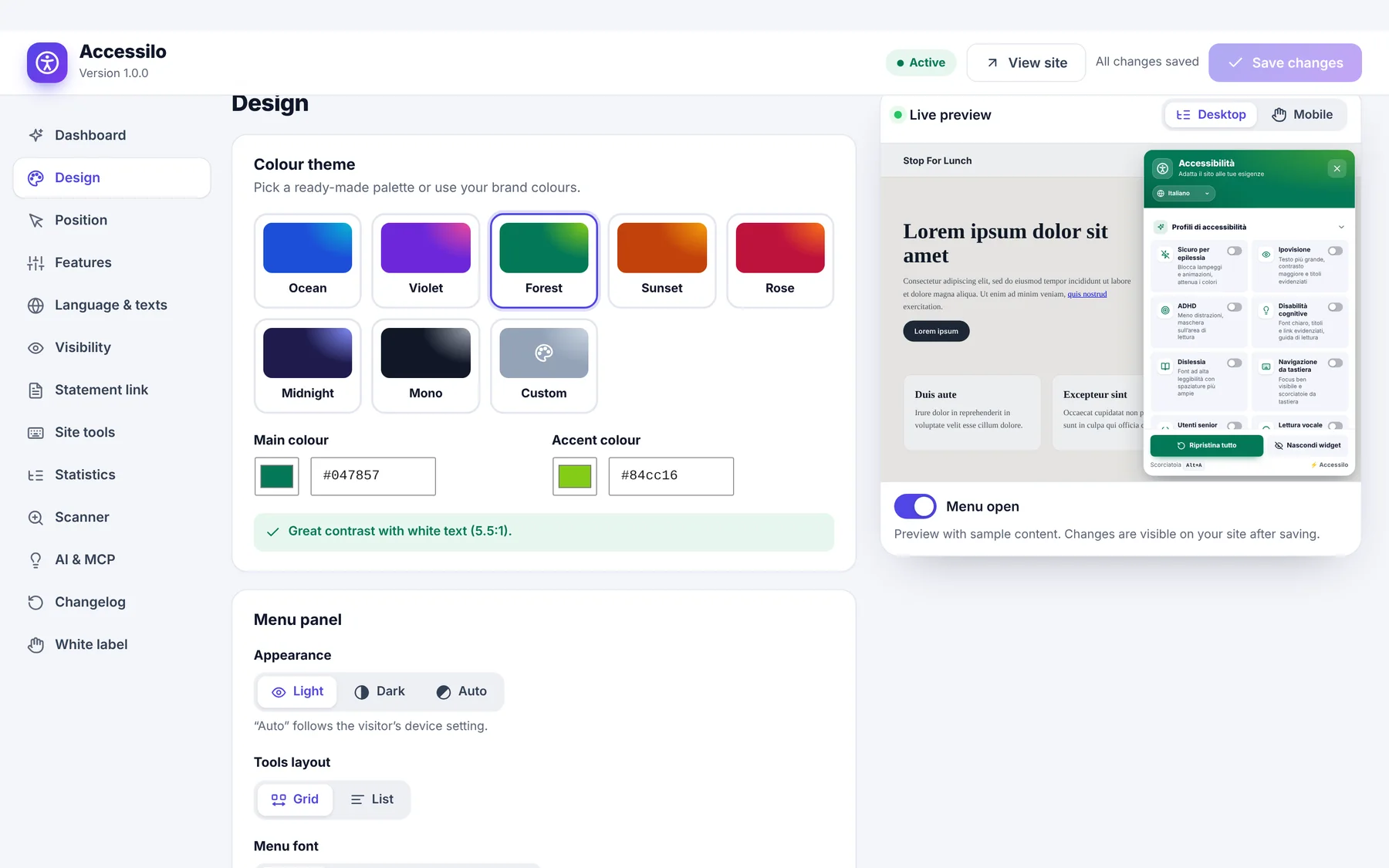
A complete design studio with live preview
See every change before you save it.
Presets or brand colours
Seven presets or your own colours, with an automatic contrast check.
Icons, shapes and sizes
Six icons, four shapes and three sizes for the button.
Light, dark or auto panel
Match the menu to your site or to the visitor’s system theme.
Desktop and mobile
Independent position, offset and size for each device.
Visibility rules
Include or exclude pages, content types and user roles.
Import and export
Copy your setup to another site in seconds.
Design it in real time
Every colour, icon and effect updates instantly in the preview next to the settings. Pick a preset or enter your brand colours and Accessilo checks the contrast for you.
- 7 colour presets or custom colours
- Automatic contrast check
- Optional attention effect on the button
- Light, dark or automatic panel
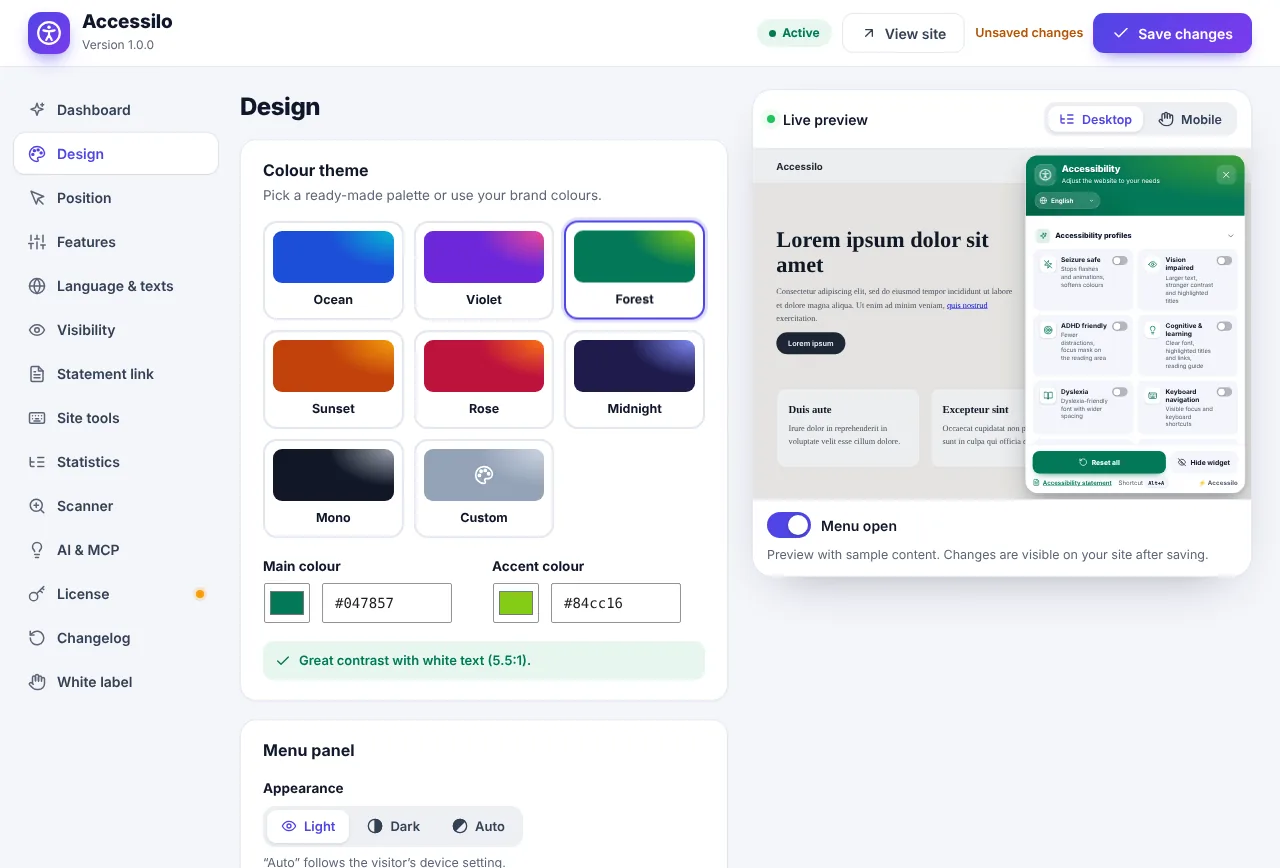
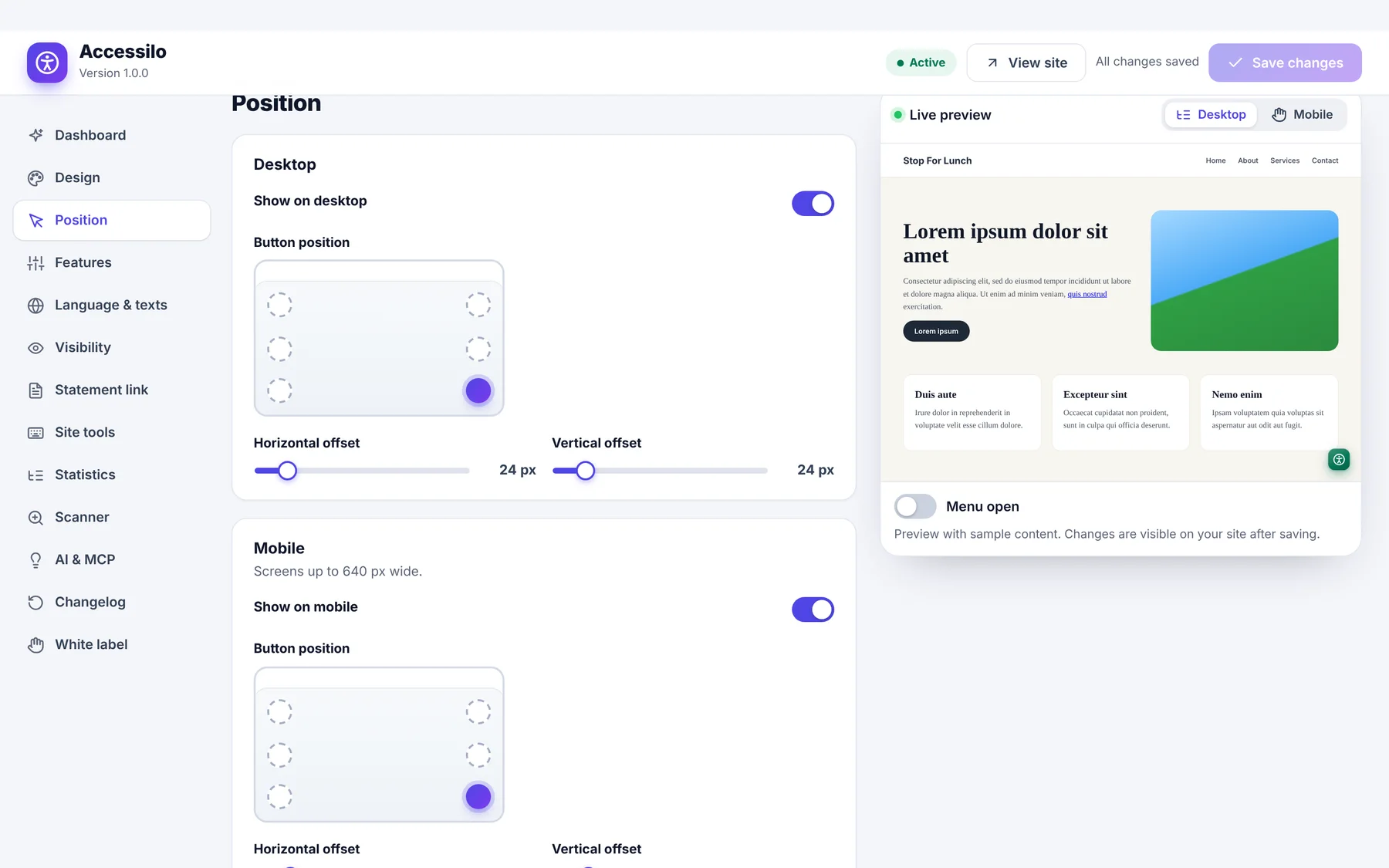
Separate positions for desktop and mobile
Place the button in any corner, fine-tune the offsets and choose a different size on phones, so it never covers your own buttons or chat.
- Six positions to choose from
- Pixel offsets per device
- Smaller button on mobile if you want
- Preview both devices side by side
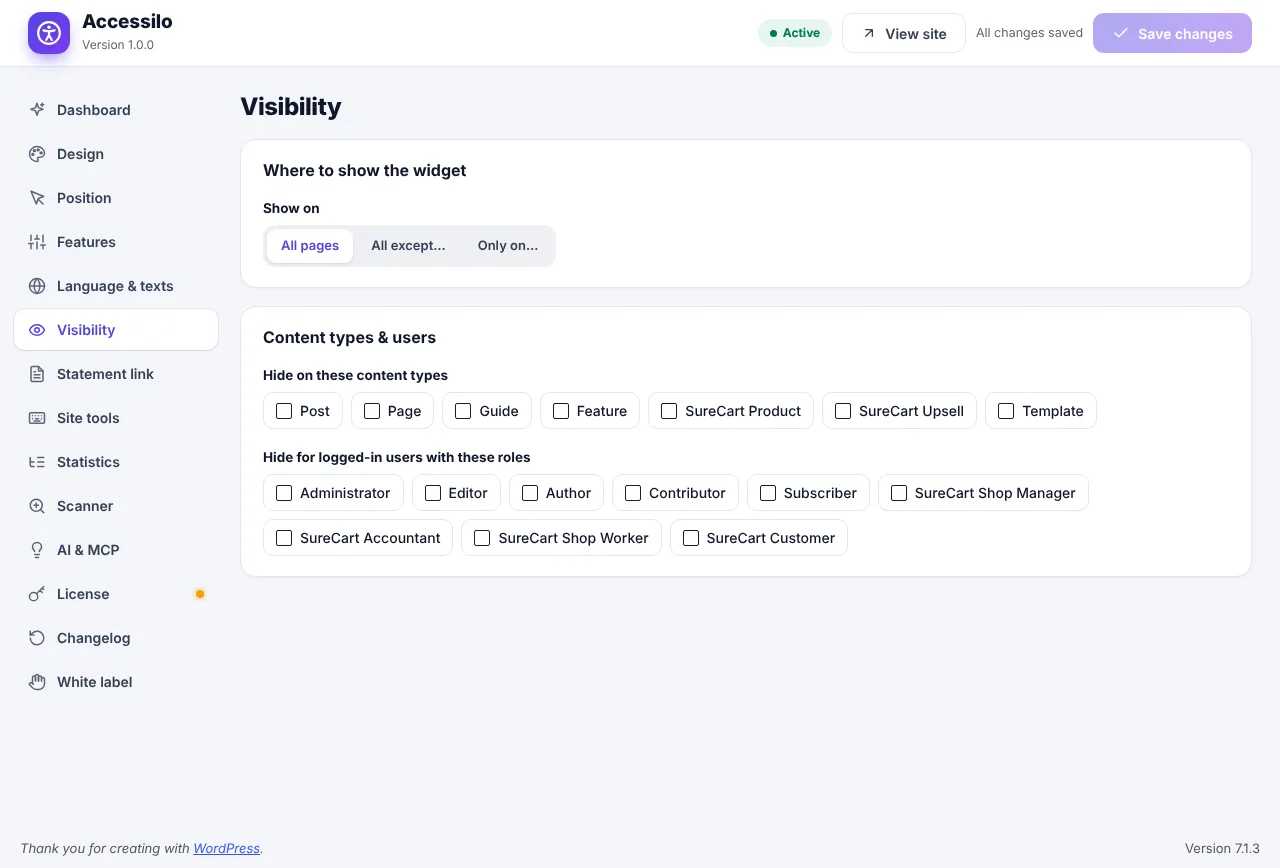
Show it exactly where you want
Show the widget everywhere, only on selected pages, or hide it on specific content types or for certain user roles.
- Include or exclude single pages
- Rules by content type
- Rules by user role
- Filter accessilo_should_display for developers
How it works
Brand-perfect in a few minutes.
Pick the look
Choose a preset or your colours, icon, shape and size.
Place it
Set the position for desktop and mobile with the live preview.
Set the rules
Decide where the widget shows and save.
Questions about design, position and visibility
Can I hide the widget on some pages?
Yes. Visibility rules let you include or exclude specific pages, content types and user roles.
Can I copy my settings to another site?
Yes. Export the settings as a file and import them on any other site running Accessilo.
Can I add my own CSS?
Yes. A custom CSS field lets you fine-tune the menu’s look inside its isolated styles.
Does it support dark mode?
Yes. The panel can be light, dark or follow the visitor’s system setting automatically.
15-day money-back guarantee
Try Accessilo on your sites with zero risk. If it's not right for you, for any reason, write to us within 15 days of your purchase and we'll refund you in full. No questions asked.
Make your next site welcoming to everyone
Install in two minutes, tune it to your brand, and let every visitor read your site their way.
Launch offer: 35% off with LAUNCH35
