
Write the missing alt texts in minutes
A dedicated Alt texts tab lists every image in your Media Library, starting with the ones that have no description. Open one, write what it shows, save and move on to the next.
Free: 50 images · Pro: unlimited · Works with any theme · No cookies
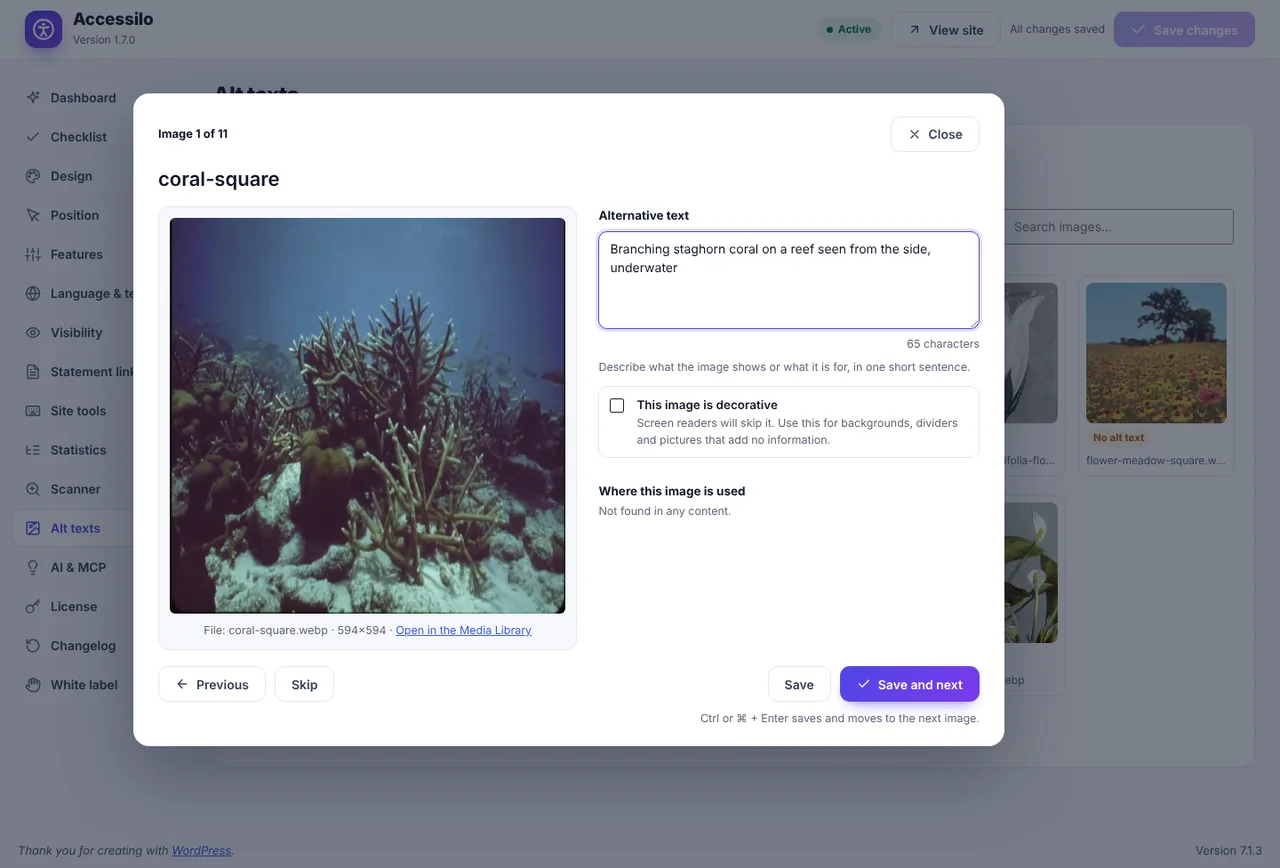
Every image described, one after the other
Missing alternative text is one of the most common accessibility problems. The Alt texts tab turns the fix into a short, focused routine instead of a hunt through the Media Library.
Missing first
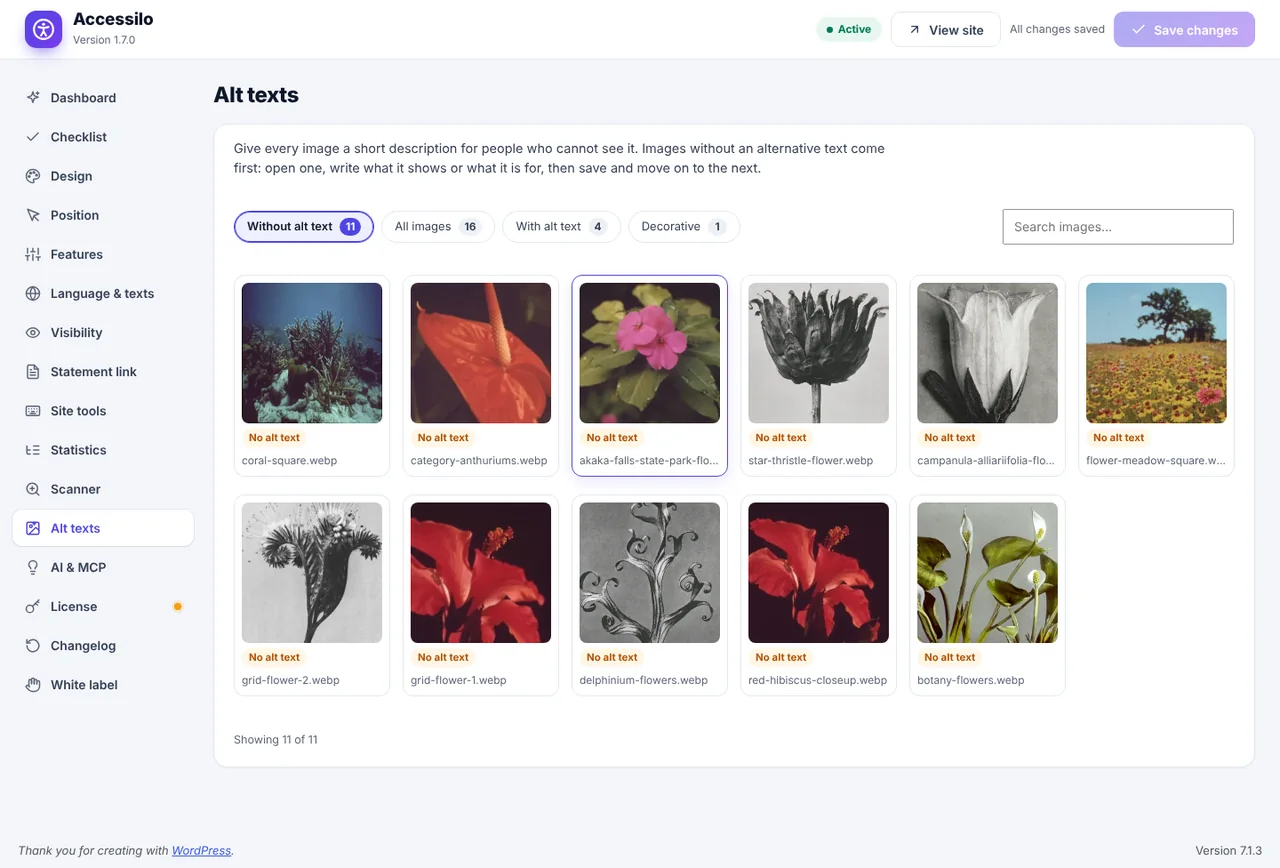
Images without alt text come first, with a count for every filter.
Save and next
Write the description, press Ctrl or ⌘ + Enter and go straight to the next image.
Decorative images
Mark pictures that add no information so screen readers skip them.
Where it is used
See where an image appears on your site, so you describe it in context.
Writing hints
Gentle hints flag very long texts and file names used as alt text.
Search and filters
Find an image by name and filter by missing, with alt text or decorative.
See the state of your whole library
The gallery shows every image with a clear status label. Filter the list, search by file name and open any image to edit it. The scanner and the checklist use the same data, so your progress is always visible.
Questions, answered
Where is the text saved?
In the Media Library, as the image’s alternative text, so it is available wherever WordPress prints the image.
What is a decorative image?
A picture that adds no information, such as a divider or a background pattern. Marking it as decorative tells screen readers to skip it.
Does it write the texts for me?
No: you decide what an image means in its context. The editor gives you the space and some hints. If you like, an AI agent connected through MCP can list images without alt text and update them for you.
15-day money-back guarantee
Try Accessilo on your sites with zero risk. If it's not right for you, for any reason, write to us within 15 days of your purchase and we'll refund you in full. No questions asked. Read the refund policy.
Give your next WordPress site more than a widget
Install the plugin in two minutes: WCAG scanner, automatic fixes, alt texts, testing and a visitor menu, all in one.
Black Friday offer: 40% off with BLACKFRIDAY40
