
The Accessilo checklist guides you through the steps that usually lead to a more accessible site, built around the European Accessibility Act. It shows what is done and what comes next. No plugin can make a site compliant on its own, so treat it as a guide rather than a guarantee.
Open the checklist
Go to Accessilo → Checklist. At the top you see how many of the 16 steps are done and a progress bar. The steps are grouped in six sections, starting with Start here.
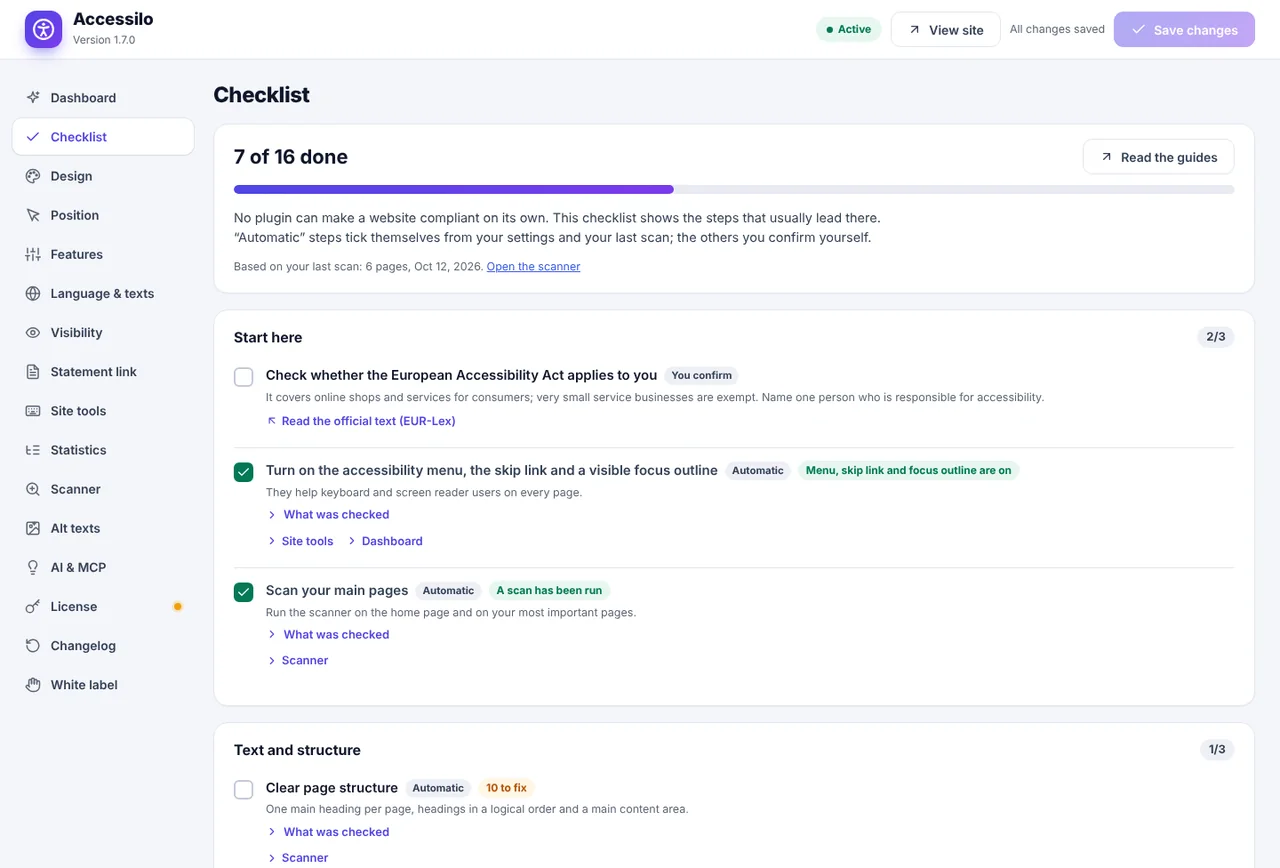
Automatic steps and steps you confirm
- Automatic steps tick themselves from your settings and your last scan, for example the accessibility menu, the skip link and the focus outline.
- You confirm steps need human judgement, such as a manual keyboard test. Tick them yourself when you have checked.
- Some steps combine both: Accessilo checks what it can and you confirm the rest.
See what was checked
Open What was checked under an automatic step to see each scanner rule, its WCAG criterion and the result: Passed, Nothing found or the number of problems. The block also shows the date of your last scan and the number of pages. Run a scan first: the step Scan your main pages asks for it.
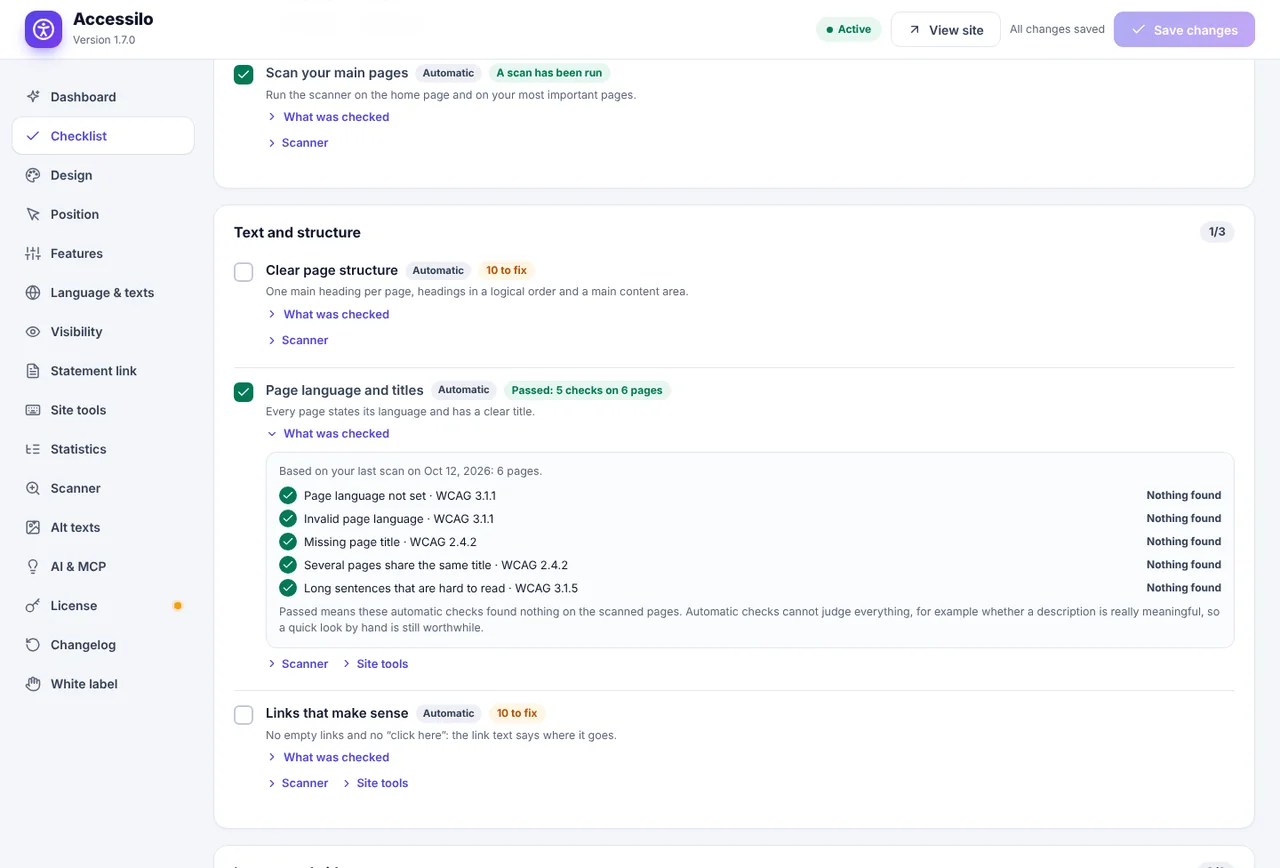
Rules that need the browser, such as colour contrast, show Needs the browser scan when the last scan only read the page HTML. Run the scan from the Scanner screen in your browser to include them.
Fix and check again
Every step links to the screen that helps: Scanner, Alt texts, Site tools or Dashboard. Make your changes, run the scanner again and the automatic steps update. Counts such as 10 to fix tell you what remains. See Run the accessibility scanner and Write alt texts.
Start with the European Accessibility Act
The first step helps you check whether the Act applies to you and links to the official text on EUR-Lex. You can also read our overview on the European Accessibility Act page. It is general information, not legal advice.
Your progress is saved
The steps you tick are saved on your site, and the automatic steps follow your latest scan. Only administrators see the checklist. Read more about the accessibility checklist.
Pro tip: finish the automatic steps first, then spend the time you saved on the manual ones. A short keyboard test on your most important pages catches what no scanner can.
